The complete guide to the iPhone’s new OS
The new iOS 4 firmware update has arrived for newer iPhone and iPod Touch models. Here’s what you need to know to get the most out of the new, improved operating system.
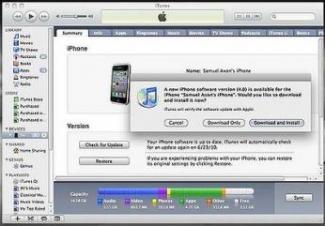
First off, have you actually upgraded? If not, here’s how.
Afterwards, be sure to go to iTunes and download the apps updated for iOS 4. Now, let’s look at what the new OS will do for your phone or iPod.
Multitasking and fast app switching
The big one. Here’s how you try it.
- Open the phone app
- Hit the home button once, then open Safari and go to any site
- Double tap the home button, which will bring up a little menu tray
- Select one of the “open” apps to switch directly to it
You can also swipe left and right to scroll through the different “pages” of apps you have open. If your app is multitasking-enabled, it will resume exactly where you left off. Games will continue from pause mode, web pages will be where you left them, music will continuously play even while you’re in another app, and so forth. The standard multitasking benefits.
So yes, this allows you to listen to Pandora in the background while you do other stuff. Well, as long as you grab that new version of Pandora. Strangely enough, YouTube backgrounding does not work, even though I remember specifically talks of that working. Not sure what happened there, or if the YouTube app needs an update.
The big picture is you can do a lot of stuff now that you couldn’t do before. You can have a Skype phone call and use your phone simultaneously, have a GPS turn-by-turn navigation app keep your place and keep routing you even while you go and send a text message, or even just load up a web page and have it full in in the background while you go change a song.
To close a running app
Steve Jobs doesn’t recommend that you even deal with closing running apps, because the phone will take care of it automatically. But if you want to shut off Pandora, or AIM, or anything else that’s running in the background and giving you alerts or doing something you want to end, here’s what you do.
- Double tap the home button from any app
- Press and hold on an app icon. The dismiss “minus” icon will pop up on each app and the icons will start shaking
- Click the minus icon to kill an app. You can do so repeatedly for all the apps you want to close.
- To get out of this mode, hit the home button
App folders
The hell of countless app screens is finally gone — or at least manageable in a sloppy way now. The folders in iOS 4.0 aren’t perfect but they help organization just a bit and they’re simple to use.
All you need to do is press-and-hold any app to trigger rearranging app icons and you’ll be able to drag them onto each other to create folders. Done. Your iPhone will even automatically suggest a name for the folder based on the type of apps you’re sticking in there (though you can change that with a tap).
Folders aren’t exactly perfect though. They fit twelve apps, but only show tiny versions of 9. Once opened, folders show apps in rows of four — which leaves a net nine-app folder looking awkward once open. No matter though, we’re content with being tossed at least a scrap here and hope that future iOS upgrades will address the some of the shortcomings of folders.
It’s not surprising, but it’s good to know that you can in fact stick folders into the dock.
Improved Mail features (mail threading)
We’re glad to see that the Mail app received a bit of a feature makeover of sorts. All the new changes appear to be in response to complaints we’ve had our heard from other iPhone users.
The email threading feature is surprisingly solid. When you’ve got it turned on, emails will be grouped by replies — like in Gmail for example — and you’ll see a little number indicator next to the most messages in your inbox to show you how long a thread is. Tap that most recent message and all others will pop up.
Speaking of Gmail! Those users will be happy to see that the “delete” button that shows up after a swipe has turned into an “archive” button. Makes things just a bit more logical.
We’re also happy to see that there are now “smart” links in emails now. This means that you can tap on dates to add events to your calendar, press tracking numbers to pull up the UPS website, or open the Maps app when there’s an address included.
And the best change to the Mail app? The long-awaited unified inbox. You can finally view emails by inbox or in one large dump. When replying to a message from the unified inbox, your iPhone will automatically use the correct email account.
If you receive an email from a person who has a picture in your contacts, you’ll now see a tiny image of him or her in the corner. Kinda cute.
Note syncing
There is now an option to sync notes over-the-air with some email accounts—such as those through MobileMe.
New iPod multitasking controls
While you can no longer get a pop-up set of iPod controls by double-tapping the home button, you do have a decent replacement in the multi-tasking drawer. By swiping over to the very left of the drawer, you’ll be able to access some minimal iPod controls next to the orientation lock. Play/pause, forward, back. It’s just enough to make some quick adjustments to song selection, but we still miss the old pop-up-style controls a bit.
iBooks
That book e-reader program that’s already out on iPad is coming to iPhone! (Yay.) But it’s not built in. (Wha?) You have to hit the App Store and manually download the iBooks ap. It’s free. Maybe for competitive purposes? Who knows.
In any case, you can sync ePub and PDF books directly from iTunes by using the iBooks section. If you have books in other formats other than ePub, use calibr to convert them.
Custom homescreen wallpapers
If you have an iPhone 3GS or a late-model iPod Touch, you can set backgrounds for your home screen. Like on the iPad. Here’s how.
- Go to Settings
- Tap Wallpaper
- Tap on the two icons that represent your two current homescreen/lockscreen wallpapers
- Choose a picture from either the Wallpapers list that Apple included, or use one of your own photos from your photo album
- Decide whether you want it on your lock screen, your home screen, or Both
- Hit the home button to see your new home screen
Unfortunately, iPhone 3G users don’t get to have Wallpapers. But if you want those Lost wallpapers, here you go.
Digital zoom
Keep in mind that this is digital zoom, so the already-wanting quality of the iPhone 3G/3GS camera will get even worse when you go 5x bigger. This is no enhance, enhance, enhance magic.
But to do so, just open up the Camera app, tap somewhere on the middle of the screen and the slider will appear. Slide it right to zoom, left to un-crappify. Note, zooming doesn’t work on videos, where you can only tap to focus, but not zoom.
Bluetooth keyboards
Pairing a Bluetooth keyboard — almost any Bluetooth keyboard, not just the slender Apple-branded kind — is as simple as pairing any other Bluetooth device. Turn the keyboard on, turn on Bluetooth, let your phone detect the keyboard, and tap a few numbers. Done. It works quite well, though it takes a while to get used to not having the on-scree keyboard pop-up while a Bluetooth one is connected.
Turn off cellular data
If you’re traveling abroad and want to make sure you stick only to Wi-Fi, you can now turn off cell data. Go to Settings, General, and then Network.
Tethering
You can now tether your phone to your computer over USB or Bluetooth. But how? The first step is turning on tethering on your account, which you can do by going to att.com/mywireless and enrolling in the tethering plan. It’s an extra $20 a month, and you get to share whatever data plan you have on your phone with your computer.
Charging an extra $20 just for the privilege of using the same data you’re already using on another device seems seems pretty lame, but that’s a gripe for another time.
iAds
What, you’re in such a hurry to look at ads on your iPhone? You’ll have to cool it for a bit, because the ads themselves aren’t available until July 1. What you can do, though, is opt-out of the targeting portion of the ads by going to oo.apple.com, but that isn’t live until July 1 either.
Making playlists on your phone
You can do this now! Just hit the “Add New Playlist” from your playlists screen, and follow the on-screen instructions.
Quick Web, Wikipedia search
Swipe left from the home screen to get to the quick search area, where it now brings up not just local results, but gives you web and wikipedia links as well.
Speed
This isn’t exactly something you “try”, but compared to 3.1.3, iPhone 4 (on a 3GS) is definitely faster. Everything is snappier and quite fluid. Any of the sluggishness found in the betas is definitely gone.
New contacts screen
Adding a new contact is streamlined so that you don’t need to keep jumping to a new input page in order to add a field, making everything just slightly faster.
Sync Events, Faces and Places from iPhoto
If you use iPhoto, you can sync discrete Faces, Events and Places from within iTunes, making it easier than setting up a hack-workaround album solution that doesn’t work quite as well as Apple’s native feature.
Spellcheck
There’s a built-in spellchecker, which is useful, unless you’re deliberately going for misspelled words in an ironic text, then it’s horrifyingly annoying.
Search with Yahoo or Bing
Under Settings, Safari, Search Engine, you can change your default search engine to one of the non-Google alternatives, if you’re the type of person who likes those engines more.
Send full-sized, any-sized photos when you’re emailing
No longer do you have to sync your iPhone to your computer to get full-sized photos off of it. You can also have the option of resizing to a small, medium or large size, in case it’s something you don’t need super clarify for.
SMS character count, MMS disabling, searching
Like the Mail app, the Messaging app got a few new features. For the most part the changes are minor — there are now options to toggle off MMS and grouping of messages with multiple recipients as well as a character count. The best new feature though is the SMS search. It’s not really different from any other search in the iOS. It simply live-updates results as you keep adding to your query.
Easier adjustment of location services
Now with apps being able to grab and use your location in the background, there might be multiple apps knowing where you are at the same time. The locations menu lets you keep track of who’s used your data in the last 24 hours, or if you want, you can shut off location for certain apps entirely.
Better enterprise support
There’s a small segment of you that will care about this, but the iPhone OS 4 can do a bunch of Enterprise stuff. And here it is, courtesy of Ars Technica:
- You can now encrypt your e-mail or attachments with your iPhone PIN code. The API for this is also available to developers so that you will be able to encrypt data inside of third-party apps as well.
- Apple now offers a mobile device management solution so that someone deploying lots of iPhones within a company can manage them.
- Wireless app distribution: no longer do you have to deploy apps across your company’s iPhones with a physical connection. You can distribute apps to anywhere in the world from your own servers.
- As we mentioned in the Mail section, you can now have multiple Exchange accounts on a single phone.
- There’s now support for Exchange Server 2010.
- There’s now also support for SSL VPN.
Improved lock codes
For the frustrated and paranoid, Apple has finally added an option to toggle from four-digit “simple passcodes” to longer alphanumeric lockcodes.
Custom dictionaries
You can now finally stop telling people to go “duck” themselves because they’re such “ducking” idiots by adding your favorite terms to a custom dictionary. The only stupid thing is that the option to edit a dictionary only appears if you add a foreign keyboard in the “International Keyboards” menu.
Cosmetic changes
Plenty of minor cosmetic changes in iOS 4. A few settings — like the Spotlight search customization — are now easier to find and some app icons are just a tiny bit prettier. A few of the changes are actually useful though, such as the ability to finally view your Photo Roll in a horizontal orientation and YouTube in a vertical one.
How it runs on iPhone 3G
There’s no multitasking in iOS 4 for the iPhone 3G. (Or wallpapers or Bluetooth keyboard support.) Which would be fine, if iOS 4 delivered that other thing iPhone 3G owners really wanted: speed. It’s no faster than OS 3.1. The hangups, the stuttering and the chugging, still make the iPhone 3G kind of infuriating to use, or at least make you really want to buy a new iPhone.
But iOS 4 still makes it a better experience overall: The unified inbox and folders alone make it worth the jump. After all, it’s not any worse than 3.1.
What we still didn’t get (and want in iOS 5)
SMS tone customization. Seriously! C’mon!’
- Facebook integration, or any kind of cloud-contact syncing
- iTunes cloud streaming, direct from an iTunes.com
- Better multitasking, because only having four icons visible at once is arbitrarily clumsy. Why swipe through so many apps to find the one to “quickly” switch to
- A solution to the modal popup problem. I don’t want to be locked out of what I’m doing whenever I get an IM
- Widgets in the multitasking tray
- A lock screen that shows email count, IM count, SMS count and other info to be determined by the user
- Home screen widgets even
- Free turn-by-turn application (Android can do it, why not one for iPhone)
- Ability to remove Apple’s default apps
- Horizontal homescreen
- Ability to disable spotlight searching entirely, for both privacy reasons and for clumsy-swiping reasons
- iChat mobile, with FaceTime on iPhone 4 somehow worked in to video chat with desktops
- A “mark all as read” or “select all” button in the Mail app would be nice.
- Email account specific email signatures could help us avoid forcing our work signature on all our personal email accounts.
Apple iOS 4 Review
After more than a month of waiting, the iOS 4 update has finally landed for our iDevices. If you haven’t updated your phone already, take a break from reading this and go to iTunes on your computer and install the new update on your iPhone 3GS, 3G or the iPod Touch third or second generation. Because today, we are not going to tell whether the latest update for the iOS devices is worth downloading or not; the fact that it’s great is given. We are just going to describe some of the new features that it brings in and it would be that much more easier to understand for you if you have a device ready with you, full updated as you read this. So, let us begin.
(From hereon, whenever we mention the iPhone, we are talking about the iOS devices excluding the iPad, unless mentioned specifically otherwise).
Multitasking:
After three years of coming up with its first iPhone, Apple has finally implemented multitasking in its mobile operating system. However, unlike Apple’s desktop version, it works in a slightly different way. Apple prioritized device performance and battery life, which meant traditional means of multitasking could not be applied. In Apple’s implementation, apps do not continue to run when they go in background. They merely suspend their activity until they are called back again. With a little something called Fast App Switching, applications are able to save their state and resume from that exact point where they stopped. If it is a game, it will even give you a little countdown before it starts again. Of course, the way the app resumes is completely dependent on how the developer implements the feature in his apps. Yes, multitasking on the iOS 4 is application dependent and if the developer does not take the effort to take advantage of the new API’s that Apple is providing him then resuming that particular app would be no different than starting it from scratch.
Switching between apps on the iPhone can be done by double tapping the home button. I prefer this method to the press and hold method that other mobile platforms such as Symbian or Android implement. I’d rather press a button twice, thrice even if required but I hate having to press and hold, waiting for something to happen. Of course this also means that you can no longer assign a particular task to be performed when you double tap the home button as before (this function is still available though to iPhone 3G and iPod touch second generation devices as they lack multitasking).
When you double tap the Home button, the screen slides up, revealing a row of icons. These are the apps that are running in the background. You can swipe right to see more icons. However, we would have preferred if instead of arranging the icons horizontally and then swiping through them continuously, which can be quite tiring if a lot of them are running simultaneously (which is quite likely to happen), the icons had instead been stacked vertically in a grid, so they would have been quicker to access.
You can quit and application if you want to. Just press and hold and then the icons will start to wiggle and a minus sign will appear on them.
When you double tap to bring up the screen of running apps, the first screen that is shown is actually the second screen. The first screen is permanently assigned to the iPod application and the music playback keys. Also something that I’ve been wanting ever since I started using an iPhone: an orientation lock switch. The iPhone or iPod touch may not have a hardware button like the iPad, but this software switch is also good enough. However, unlike the iPad’s switch it cannot lock the display in any orientation but just portrait mode. Unfortunately, the orientation lock switch is not available for the iPhone 3G and iPod touch second generation users, which is just ridiculous. Apple could have easily put that option somewhere in the settings menu and it would have still been fine compared to not having it at all.
Finally, there are the music keys, which actually can be used for any application that may be playing audio at the moment and not just the iPod player. They are quite handy, however, as I mentioned before, if you are not near the first group of apps on the multitasking row, you will have to swipe several times before you can reach them. The icon for the iPod app is also found here, which I thought was a bit unnecessary as the icon is already present in the list of running applications when the music is playing.
Another weird thing is that the row of icons in the multitasking tray only appear in portrait mode. So, if you rotate the phone in landscape orientation the icons do not rotate.
Unfortunately, multitasking is not available on iPhone 3G and iPod touch second generation. This is kind of a bummer for a lot of people out there. I’m sure both these devices could have pulled it off and even though the experience wouldn’t have been as smooth as on the 3GS or the third generation iPod touch. But that’s the thing with Apple; it’s all about the experience.
Book Mark it-> del.icio.us | Reddit | Slashdot | Digg | Facebook | Technorati | Google | StumbleUpon | Window Live | Tailrank | Furl | Netscape | Yahoo | BlinkList
Apple releases iTunes 9.2 with support for iOS 4, iPhone 4
By Katie Marsal
Published: 04:30 PM EST In preparation for next week’s release of iOS 4 and iPhone 4, Apple on Wednesday updated its iTunes desktop media application to version 9.2, adding support for iBooks, PDFs, and Apple’s latest handset.
iTunes 9.2 is available for download direct from Apple, or via Software Update on a Mac. It is a 101.99MB file for Mac OS X, 92.29MB for Windows 32-bit, and 92.99MB for Windows 64-bit.
Apple said Wednesday the update to iTunes includes the following features and fixes:
- Sync with iPhone 4 to enjoy your favorite music, movies, TV shows, books and more on-the-go
- Sync and read books with iPhone or iPod touch with iOS 4 and iBooks 1.1
- Organize and sync PDF documents as books. Read PDFs with iBooks 1.1 on iPad and any iPhone or iPod touch with iOS 4
- Organize your apps on your iOS 4 home screens into folders using iTunes
- Faster back-ups while syncing an iPhone or iPod touch with iOS 4
- Album artwork improvements make artwork appear more quickly when exploring your library
Word of iTunes 9.2 first arrived during Apple’s Worldwide Developers Conference last week, when it was seeded to developers in a Golden Master form.
iOS 4 will ship on June 21 as a free update for the iPhone 3GS, iPhone 3G, and recent generations of the iPod touch. It will be followed on Thursday by the release of iPhone 4, also running iOS 4.
Book Mark it-> del.icio.us | Reddit | Slashdot | Digg | Facebook | Technorati | Google | StumbleUpon | Window Live | Tailrank | Furl | Netscape | Yahoo | BlinkList
iOS4 iTunes Update for iPhone, and iPod touch
iOS4 iTunes Update for iPhone, and iPod touch
Phones, iPhone, iPhone OS 4.0 | Hans | June 21, 2010 at 11:41 am
iOS4 iTunes Update was recently released for iPhone and iPod touch. The iPad hardware is not supported. You can go to iOS4 Download Links page for direct download links for the iOS4 software update.
The iOS4 update contains over 100 new features, including the following:
• Multitasking support for third-party apps*
- Multitasking user interface to quickly move between
apps
- Support for audio apps to play in the background
- VoIP apps can receive and maintain calls in the
background or when device is asleep
- Apps can monitor location and take action while
running in the background
- Alerts and messages can be pushed to apps using
push and local notifications
- Apps can complete tasks in the background
• Folders to better organize and access apps
• Home screen Wallpaper*
• Mail improvements
- Unified inbox to view emails from all accounts in one
place
- Fast inbox switching to quickly switch between
different email accounts
- Threaded messages to view multiple emails from the
same conversation
- Attachments can be opened with compatible third-
party apps
- Search results can now be filed or deleted
- Option to select size of photo attachments
- Messages in the Outbox can be edited or deleted
• Support for iBooks and iBookstore (available from the
App Store)
• Photo and Camera improvements
- 5x digital zoom when taking a photo**
- Tap to focus during video recording**
- Ability to sync Faces from iPhoto
- Geo-tagged photos appear on a map in Photos
• Ability to create and edit playlists on device
• Calendar invitations can be sent and accepted wirelessly
with supported CalDAV servers
• Support for MobileMe calendar sharing
• Suggestions and recent searches appear during a web
search
• Searchable SMS/MMS messages**
• Spotlight search can be continued on web and Wikipedia
• Enhanced location privacy
- New Location Services icon in the status bar
- Indication of which apps have requested your location
in the last 24 hours
- Location Services can be toggled on or off for
individual apps
• Automatic spellcheck
• Support for Bluetooth keyboards*
• iPod out to navigate music, podcasts and audiobooks
through an iPod interface with compatible cars
• Support for iTunes gifting of apps
• Wireless notes syncing with IMAP-based mail accounts
• Persistent WiFi connection to receive push notifications*
• New setting for turning on/off cellular data only**
• Option to display the character count while composing
new SMS/MMS**
• Visual Voicemail messages can be kept locally even if
they have been deleted from the server**
• Control to lock portrait orientation*
• Audio playback controls for iPod and third-party audio
apps*
• New languages, dictionaries and keyboards
• Accessibility enhancements*
• Bluetooth improvements
• Better data protection using the device passcode as an
encryption key* (Requires full restore.)
• Support for third-party Mobile Device Management
solutions
• Enables wireless distribution of enterprise applications
• Exchange Server 2010 compatibility
• Support for multiple Exchange ActiveSync accounts
• Support for Juniper Junos Pulse and Cisco AnyConnect
SSL VPN apps (available from the App Store)
• More than 1,500 new developer APIs
• Bug fixes
Products compatible with this software update:
• iPhone 3G
• iPhone 3GS
• iPhone 4
• iPod touch 2nd generation
• iPod touch 3rd generation (late 2009 models with 32GB
or 64GB)
Tags: iOS4, iOS4 iTunes Update, iPhone, iPod Touch
- iOS4 Release Time Coming In About 30 Minutes, New iOS4 iPhone and iPod touch Update
- iOS4
- iOS4 Release: Apple To Release iOS 4.0 Download Today
- iPhone 3.1.3: iTunes Update
Leave a Reply
Book Mark it-> del.icio.us | Reddit | Slashdot | Digg | Facebook | Technorati | Google | StumbleUpon | Window Live | Tailrank | Furl | Netscape | Yahoo | BlinkList
Apple iTunes 9.2 Up For Free Download: Sync your iPod, iPhone, and Apple TV …
Posted on 21. Jun, 2010 by Alexandru Grosu in News, Software News
It seems Apple is on a “releasing spree” and today’s star is the new iTunes 9.2, which is now available for free download both for Mac and PC. There are several reasons for this new and improved version of iTunes, but there’s little doubt that the main one is the upcoming launch of the iPhone 4, which is to take place on the 24th of June. One other interpretation might be that Apple is keeping an eye on the soon to be released Google Music that announces itself as a tough competitor for iTunes.
As expected, the main feature of the new iTunes 9.2 is the possibility to Sync with iPhone 4 and transfer music and movies to the phone. Users are now also able to sync and read books with iPhones or iPods. Furthermore, the new iTunes can be used both to sync PDF documents that can be later on read and modified on most of Apple’s i-series products and to organize the applications into folders.
Apple iTunes 9.2 Up For Free Download: The iPod, iPhone, and Apple TV Jukebox
Last, but not least, one of the main disadvantages of the old iTunes has been taken care of. It is well known that it usually takes a lot of time to sync your iPhone, iPad (which is now available for sale worldwide) or iPod due to the slow back-up process. Performance improvements have been made and now the new iTunes 9.2 will finish the back-up quicker and allow users to navigate through the existing media faster.
While for some, these upgrades might not sound very appealing, they were necessary in order to prepare the arrival of the new iPhone 4. The improved speed is also more than welcome and so it the new ability to manage PDF files. Good work and smart timing. You can download iTunes 9.2 for free using the link here.
Related posts:
- Spirit iPad Jailbreak Also Works For iPhone and iPod Touch (iPhone OS 3.1.3)
- Apple has a backup plan: an alternate iPhone 4G / HD model with different design
- The Apple iPhone is losing the battle with Android OS
- Safari 5.0 up for free download, fixes 48 problems
- Google Music to battle Apple’s iTunes up in the cloud
Tags: apple, Google Music, ipad, iphone, iPhone 4, iPod, iTunes 9.2, iTunes 9.2 free download
Book Mark it-> del.icio.us | Reddit | Slashdot | Digg | Facebook | Technorati | Google | StumbleUpon | Window Live | Tailrank | Furl | Netscape | Yahoo | BlinkList
First Look: Apple’s iOS 4 for iPhone, iPod touch
By Daniel Eran Dilger
Published: 02:00 AM EST Apple is celebrating the summer solstice this year by making the next major reference release of its mobile operating system available, for free, on Monday June 21st. The new iOS 4 will provide existing iPhone and iPod touch users with a system-wide upgrade and pave the way for the iPhone 4 launch on Thursday.
Apple’s iOS 4 provides a variety of new and enhanced features on a core OS level, on a developer API level, and on the surface for end users. Some of these features are limited to new hardware in the latest iPhone 4 (such as FaceTime video calling), while others are only available on last year’s iPhone 3GS and third generation iPod touch (including multitasking).
iOS 4 is not supported on the original 2007 iPhone and iPod touch models, and can’t be installed on iPad. Apple says a later release this fall will bring iOS 4 features to iPad users, much like the special iPhone OS 3.2 that was exclusive to the iPad at its launch. For all other iOS device users, iOS will be made available for immediate download as a software update within iTunes; that’s an distinct advantage Apple holds over most other smartphone platforms, where users might wait months for a new software update to be made available by their mobile provider and for their specific phone model.
iPad features for other mobile devices
iOS 4 delivers a number of features from iPhone OS 3.2 (as it was called upon its release), which debuted on iPad this spring, to iPhone and iPod touch users. These include:
- 1. A revised look and feel reminiscent of the Mac OS X desktop, including a glass shelf Dock, translucent status bar, and support for custom wallpaper on the Home screen. Gone are Apple’s efforts to differentiate the iPhone and iPod touch by giving each a different dock design and withholding apps from the touch. The only real differences between the iPhone and iPod touch now relate to hardware, and iOS 4 works to abstract away any differences wherever possible.
- 2. Support for iTunes “File Sharing,” which copies documents associated with a specific app on or off the device when it syncs with iTunes. iOS 4 also exposes the concept of opening email attachments with a particular app, another feature that debuted on iPad.
- 3. Support for suggested search terms in Safari when users begin entering a query.
- 4. HTML5 videos can now play within the browser window, rather than launching the QuickTime full screen player, similar to how iPad works.
- 5. Support for Apple’s iBooks ebook reader and store app, which now also functions as a PDF document library and viewer.
- 6. Support for Bluetooth keyboards and for system-wide spell check, word suggestion and replacement, and other developer-extendable features that can be included in the text selection copy/paste menu. International layouts on the virtual keyboard can also now be selected from a contextual menu rather than just cycling through multiple configured layouts by hitting the globe icon.
- 7. iPod music playback now gets album art in its listings, and presents additional metadata for the currently playing song or podcast when the user brings up playback controls. Users can also create playlists on the device, rather than only syncing configured playlists from iTunes or only creating simple iPod-style “on the go” playlists.
- 8. A software orientation lock, like the iPad’s hardware switch, enables users to keep their iPhone from flipping back and forth between landscape and portrait when holding the device perpendicular to the ground (such as when lying in bed). In iOS 4, the orientation lock is presented when you double-click on the Home button and swipe to the left. Also available in this menu are background audio controls, which default to iPod playback but can also be used by third parties with apps that support Background Audio multitasking (something that isn’t yet available on iPad).
- 9. A new Location Services icon in the menu bar that flags when the current app is accessing your location, either using GPS or WiFi triangulation. Apple reports this to the user for privacy reasons, and also forces apps to request permission to perform location lookups via the operating system, so that apps can’t track users’ location without their being aware that Location Services are active. In iOS 4, there is also now per-app preferences for enabling or disabling specific titles from determining location. Apps that lookup the user’s location are flagged on the Location Services page within Settings so users can track which apps are tracking them. iPad does not yet expose this new fine grained control in its Location Services preferences.
On page 2 of 3: New user features in iOS 4.
Book Mark it-> del.icio.us | Reddit | Slashdot | Digg | Facebook | Technorati | Google | StumbleUpon | Window Live | Tailrank | Furl | Netscape | Yahoo | BlinkList
Apple iTunes 9.2 Released
Apple yesterday published the final version of iTunes 9.2 . The download weighs 102MB and brings expected support for iPhone 4, and also enables a host of new features such as syncing books and sorting folders and apps for iOS 4.
Here is the complete changelog:
iTunes 9.2 comes with several new features and improvements, including:
Sync with iPhone 4 to enjoy your favorite music, movies, TV shows, books and more on-the-go
Sync and read books with iPhone or iPod touch with iOS 4 and iBooks 1.1
Organize and sync PDF documents as books. Read PDFs with iBooks 1.1 on iPad and any iPhone or iPod touch with iOS 4
Organize your apps on your iOS 4 home screens into folders using iTunes
Faster back-ups while syncing an iPhone or iPod touch with iOS 4
Album artwork improvements make artwork appear more quickly when exploring your library
Minor security fixes have also been implemented, including an update to the WebKit browser and a couple of Windows-specific fixes to prevent malware attacks.
The download is available for Mac OS X 10.4.11, 10.5 and 10.6; 32-and 64-bit versions are available for Windows.

Apple Releases iTunes 9.2 – Brings New Feature to iPad
Apple released iTunes 9.2 earlier today via a software update. Apple unveiled the updated iTunes during its World Wide Developer Conference (WWDC) earlier this month. The new version of iTunes includes support for Apple’s upcoming iPhone 4 and adds one goodie for iPad owners.
With iTunes 9.2, users get an additional option for viewing their apps. With the new “Genre” tab, all of your apps are automatically sorted and grouped by specific app categories i.e. games are grouped in a Games category, etc. You can quickly see all your apps in a given category by running your mouse over the icon for an app category and all the apps are then displayed (similar to the effect when browsing events in iPhoto on the Mac).
Other new iTunes 9.2 features and improvements include:
- Sync with iPhone 4 to enjoy your favorite music, movies, TV shows, books and more on-the-go
- Sync and read books with iPhone or iPod touch with iOS 4 and iBooks 1.1
- Organize and sync PDF documents as books. Read PDFs with iBooks 1.1 on iPad and any iPhone or iPod touch with iOS 4
- Organize your apps on your iOS 4 home screens into folders using iTunes
- Faster back-ups while syncing an iPhone or iPod touch with iOS 4
- Album artwork improvements make artwork appear more quickly when exploring your library
Tags: iOS, iphone, iTunes
Category: iPad News
Book Mark it-> del.icio.us | Reddit | Slashdot | Digg | Facebook | Technorati | Google | StumbleUpon | Window Live | Tailrank | Furl | Netscape | Yahoo | BlinkList
Apple Debuts iPhone App Called Apple Store
Want to pre-order the new iPhone 4 or buy a new Mac mini on your iPhone? Starting Tuesday, there is an app for that. Apple debuted its own iPhone app called Apple Store that allows you to buy Apple hardware and other goodies via your iPhone or iPad.
Just as iTunes lets you buy apps, music, and movies via your iPhone, the Apple Store app allows you to brows before you buy iPhones, iPads, Macs, or any other Apple product your credit card can withstand. In a less-than-amazing coincidence, Tuesday is also the day that pre-orders for iPhone 4 are being taken.
Even More Handy
The free Apple Store app also helps you find nearby Apple stores, in case you want to shop in person. It’s tied into location services, so once you give your permission to be found, it will point you toward the nearest Apple store. From there you can make reservations to speak with an Apple Genius or sign up for an event like a workshop.
Five navigation buttons sit at the bottom: Featured, Products, Stores, Search and Cart. One bonus: many products have a “Q&A” section, in which folks ask questions about the product, and others answer.
The Apple Store app appears to make shopping for Apple products easy and painless. There’s nothing innovative or ground-breaking about it, but it offers a more direct mobile link to Apple merchandise compared to other third-party Websites.
Stay tuned for PCWorld’s official review of the Apple Store within the App Guide section of PCWorld.com.
Book Mark it-> del.icio.us | Reddit | Slashdot | Digg | Facebook | Technorati | Google | StumbleUpon | Window Live | Tailrank | Furl | Netscape | Yahoo | BlinkList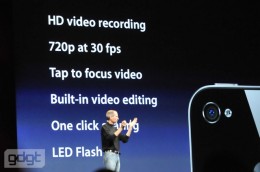
Switched On: An ‘i’ for imaging
When the original iPhone was first launched, its camera ranked among its least competitive features. While the face of Apple’s product broke ground for how it reacted to touch, its eye into the world was wanting. It could capture only two megapixels, lacked autofocus, a flash, or digital zoom, and had no support for video capture. It seemed as though Apple had somehow felt obliged to put in a camera, a feature the company would leave off the iPod touch and iPad. The 3GS bumped the resolution to three megapixels and added in video capture that even included trimming capabilities, but Apple’s heart still didn’t seem very into the iPhone as a digital imaging device.
That’s changed with iPhone 4. While its five-megapixel camera lags behind the eight-megapixel cameras on devices such as the Droid Incredible and HTC EVO 4G in terms of raw resolution, and it includes just one LED flash bulbs as opposed to two on the EVO 4G, Apple’s inclusion of a backlight sensor has aided the product’s low-light capture, and the included software makes use of the cameras in innovative ways.
But as is often the case with Apple, the hardware is only part of the story. iMovie and FaceTime show that Cupertino seeks to push the envelope of what can be done in real-time using the iPhone’s cameras, as well as what can be done video after it’s been captured. Using iMovie for iPhone, one will be able to create a reasonably polished multimedia memento that wraps HD video, five-megapixel stills and a soundtrack in high-quality titles and transitions. You’ll be able to finish the vacation video before the vacation is even over.
During his WWDC keynote, Steve Jobs said it took 18 months to develop iMovie for iPhone. That Apple is now lavishing attention on video functionality it practically ignored before shows that the iPhone is expanding far beyond the content consumption role — a role many have been tempted to pigeonhole smartphones and slate devices in general. It also fans the flames of opinion that Apple is turning iOS into an eventual replacement for Mac OS. iMovie was the first of the iLife applications, and of course the iWork suite has already been ported to iOS. Apple’s imaging moves also show some of the strength that Apple is building in its iCosystem. It would be trivial to create a version of iMovie optimized for the iPad, and getting videos from the iPhone to iPad is a simple exercise with the (currently rare) iPad camera connector. The next step is a simpler path to the television that may be facilitated by a future version of Apple TV.
Of course, these video vindications are currently limited to the iPhone. The next test of Apple’s commitment to developing its handheld platforms into robust digital imaging devices will likely happen this fall as Apple refreshes the iPod touch. Many have long speculated that that device — previously described as not needing “new stuff” by Jobs — was destined to include a camera. But now the indications are stronger than ever that Apple will imbue its music player-turned-mobile platform into a carrier-free vehicle for bridging the space of face-to-face communications and the time between capturing video and editing it.
Ross Rubin is executive director of industry analysis for consumer technology at market research and analysis firm The NPD Group. Views expressed in Switched On are his own.
Book Mark it-> del.icio.us | Reddit | Slashdot | Digg | Facebook | Technorati | Google | StumbleUpon | Window Live | Tailrank | Furl | Netscape | Yahoo | BlinkList
iOS 4 GM Seed, iTunes 9.2 Seed Notes Leaked
Apple is known to have handed developers a bunch of pre-release software packages, including the iOS 4 GM seed, a beta of iTunes 9.2, iAd JS and iPhone SDK 4 GM seed. iTunes 9.2 comes with several new features and improvements, according to Apple, which include the iPhone 4 compatibility, Folders support, performance improvements, and more.A list of changes that come with iTunes 9.2 is offered by World of Apple, a regular source of seed notes for pre-release Apple software. According to its report, iTunes 9.2 delivers the following:
- Sync with iPhone 4 to enjoy your favorite music, movies, TV shows, books and more on-the-go;
- Sync and read books with iPhone or iPod touch with iPhone OS 4 and iBooks 1.1;
- Organize and sync PDF documents as books. Read PDFs with iBooks 1.1 on iPad and any iPhone or iPod touch with iPhone OS 4;
- Organize your apps on your iPhone OS 4 home screens into folders using iTunes;
- Faster back-ups while syncing an iPhone or iPod touch with iPhone OS 4;
- Performance improvements make scrolling much faster.
Moving on to iOS 4, the source in question notes that Apple previously named it iPhone OS 4. The GM (Golden Master) build 8A293 is a 378MB download for the iPhone 3GS and weighs in at 292MB for the iPhone 3G, according to those who’ve leaked the information to World of Apple. Currently available to registered iPhone developers only, the OS beta release is accompanied by a new SDK beta labeled build 10M2262, the source adds.
Although the report also promises the full seed notes for this release, the source only acknowledges the aforementioned build numbers, file sizes, and that iOS 4 introduces over 100 new features, among which it names seven major ones: Multitasking, App Folders, Enhanced Mail app, iBooks for iPhone and iPod touch, Enhanced enterprise features, Game Center, and iAds.
Book Mark it-> del.icio.us | Reddit | Slashdot | Digg | Facebook | Technorati | Google | StumbleUpon | Window Live | Tailrank | Furl | Netscape | Yahoo | BlinkList
WWDC 2010: 10 Things To Watch For
Thanks to Gizmodo, we know one thing Apple’s Steve Jobs will pull out of his pocket at Monday’s Worldwide Developers Conference: a next-gen iPhone. But what else is up Jobs’ sleeve? A cloud-based iTunes, Safari 5, iChat for iPhone, or a Mac OS update?
Here are ten things to watch for during Jobs’ speech to kickoff Apple’s Worldwide Developers Conference on Monday.
iPhone
Every year since the iPhone’s inception Apple has unveiled a new device during WWDC, and this year should be no exception. Heck, it’s even become a punchline that you can expect a new iPhone to show up onstage somewhere around 9:42 a.m. Pacific time. And this year, thanks to Gizmodo’s well-publicized purchase of a lost iPhone prototype left in a bar, we even have a pretty good idea of what to expect. The new iPhone is widely expected to have a higher-resolution display (rumored to be 960 by 640), front- and rear-facing cameras, larger battery, a second mic for noise cancellation and a new, square-shaped body instead of the more rounded design previous iPhones have had.
What we still don’t know is what the device’s name will be? Will the new iPhone use a custom-made Apple processor, and will the new iPhone have more storage than the current 32GB iPhone 3GS?
Safari 5 and HTML 5
Recent rumors suggest that Apple may unveil the next version of the Safari Web browser during WWDC. Safari 5 is rumored to have a new JavaScript engine that is 25 percent faster than Safari 4, a Bing search option, smarter address field similar to Firefox’s Awesome Bar and increased HTML 5 support. The new version of Safari is also rumored to have a new RSS reader/Instapaper clone called Safari Reader that will let you “view articles on the web in a single, clutter free page.”
You can also expect Jobs to make a big deal about the wonders of HTML 5 as Apple works to cement its perceived opposition to proprietary Web technologies like Adobe Flash. On Friday, Apple launched a new HTML 5 showcase that lets you try out some of the HTML 5 features the current version of Safari has, including photo transitions, improved font displays, and improved audio and video support. Expect more of the same if HTML 5 comes up during the keynote.
Mac OS X
A lot has been made out of the fact that Apple dropped the Mac category from its annual design awards presented during WWDC. This has led to some to suspect that Apple may be ignoring its PC operating system as the company turns instead to the iPhone OS and devices like the iPhone, iPad, and iPod Touch. Even the tagline for this year’s WWDC — the center of the app universe — doesn’t leave much room for OS X. It’s true that Apple is definitely iPhone OS-focused right now, but we might see a mention of Mac OS X 10.6.4, the next OS X update, since it is rumored to be packaged with the rumored Safari 5 update.
iPhone OS 4.0
Apple already gave us a look at the next iteration of the iPhone OS earlier this year. But Apple always holds back a few surprises for WWDC, and the company should also announce a launch date for iPhone OS 4.0. Apple should also reveal more details about the iPhone Game Center, which adds some social features like leaderboards and friend challenges to iPhone games.
iChat for iPhone
There have already been references to iChat found inside recent developer releases of iPhone OS 4.0, and the new iPhone’s expected front-facing camera would make iChat a no-brainer. Even more interesting, though, will be to see whether Apple gives developers access to the new camera feature as well. That would allow third-party applications such as Skype to offer video calling on Apple’s new device.
Multitouch trackpad
Image Credit: EngadgetA fresh rumor from Engadget suggests Apple may be releasing a multitouch trackpad, similar to Apple’s laptop touchpads, that connects wirelessly to desktop Macs. I wouldn’t expect Jobs to mention this during the keynote unless it’s tied to a refresh of some of Apple’s desktop computers.
AT&T Deathwatch
Predicting the day when Steve Jobs will finally announce the end of Apple’s exclusive arrangement with Apple has become something of a pastime for Apple watchers. Rumors of a Verizon iPhone are increasing, but there are also moves from AT&T that may suggest the company is getting ready for the end of its reign as the exclusive iPhone carrier in the United States.
First, there’s the new AT&T tiered data plan that goes into effect for new iPhone and iPad users on Monday. Some figure that AT&T has phased out its unlimited data plan because its exclusivity contract with Apple is ending. Therefore, the carrier is no longer beholden to Apple’s demands to offer iPhone users all-you-can-eat data. Interesting theory, but that’s a bit of a stretch.
A report from MacRumors says that AT&T has bumped up the upgrade eligibility date for some iPhone users. This could entice some current iPhone owners to ditch their old devices for the new iPhone expected to be announced today. Perhaps AT&T is doing this in an effort to attract as many new iPhone users as it can before its exclusivity contract ends.
Apple TV and Mac Mini refreshes
There are also several rumors suggesting that Apple may offer some hardware upgrades today. Apple TV is rumored to be getting an update that will include the ability to play 1080p high-definition video, 16GB flash storage, as well as online storage space for your iTunes purchases. There are also rumors about a Mac Mini refresh from Apple Insider, but it’s not clear what a Mac Mini upgrade would entail.
iTunes in the cloud
Apple purchased the online music service Lala in December, and last Monday Apple finally shut down Lala’s Website. The shutdown of Lala so close to WWDC has fueled further speculation that a cloud-based iTunes announcement is imminent.
Mobile Me
Another rumor is that Apple may unveil a free version of its MobileMe service during WWDC. Apple’s Mobile Me service primarily syncs your e-mail, contacts, and calendars across multiple desktops, mobile devices and the Web for $99 a year. MobileMe also offers you 20GB of online storage through iDisk, a Web gallery for your photos and the Find My iPhone and Remote Wipe data protection and antitheft features.
However, with the exception of Find My iPhone and Remote Wipe, you can get ever other MobileMe feature for free with other services. Google offers contact, calendar, and e-mail sync for free using Exchange Active Sync, and the new version of Hotmail being released this summer is expected to offer free syncing as well. Microsoft offers 25GB of free online storage through SkyDrive, and there are any number of free online photo storage services including Picasa, Flickr and Windows Live.
Given that every other tech company offers these services at no cost, a basic free version of MobileMe would make a lot of sense.
So there you have it — ten things to watch out for during Monday’s WWDC keynote starting at 10 a.m. Pacific. Be sure to check in with PCWorld for live blog coverage of the keynote, as well as tons of analysis, punditry and news surrounding Apple’s keynote throughout the day.
Connect with Ian on Twitter (@ianpaul).
Book Mark it-> del.icio.us | Reddit | Slashdot | Digg | Facebook | Technorati | Google | StumbleUpon | Window Live | Tailrank | Furl | Netscape | Yahoo | BlinkList
WWDC Rumors Roundup: What To Expect June 7!
Once again WWDC is upon us and just like we do everytime Apple has an event, here’s a little briefing of what you can expect at tomorrow’s event. The new iPhone is already a given but what else should we look forward to?
iPhone 4G or iPhone HD
The name of the iPhone isn’t the only thing we *probably already know about Apple’s new iPhone. Gizmodo’s leak is most possibly the new iPhone.
This means it will have the following features: higher screen resolution, design overhaul, front facing camera, LED flash, and HD video recording.
Mobile Me Going Free
Apple’s very own mail service is possibly going to ditch their subscription service this year. Instead, it’s most likely going to be free for all so that more people can take advantage of its special features including “Find My iPhone”.
iTunes Live
Lala.com has been taken down meaning we can definitely expect the long awaited iTunes web version. This is already sort of implemented for Apps but to see it stretched to music and videos would simply just be awesome.
Safari 5 With Extensions
Safari, though up there with Firefox as a reliable browser client, doesn’t support extensions. Safari 5 is rumored to correct that as it may finally allow extensions.
Apple TV Refresh
Apple’s “hobby project” will probably debut at what sources say a whopping cheap price at $99! This comes as a no surprise seeing Google is poised to take over our living rooms as well.
LIVE BLOG and CHAT
Join us here tomorrow 10AM as we usher in Apple’s new products to the world. There might be a couple code giveaways or two as always
Book Mark it-> del.icio.us | Reddit | Slashdot | Digg | Facebook | Technorati | Google | StumbleUpon | Window Live | Tailrank | Furl | Netscape | Yahoo | BlinkList