
Windows Phone 7 three months on: a retrospective
When I reviewed Windows Phone 7, I’d been using it for a little over a week. At the time, I concluded:
Microsoft doesn’t often get version one releases right, but this time, it has got the release very right indeed. Windows Phone 7 looks great, works well, and is a treat to use. Market success isn’t assured, but judged on its merits alone, this is a platform that absolutely deserves to succeed, and I really, really hope it does.
As of today, the smartphone platform has been on sale for exactly three months—long enough for things that felt like minor flaws at the time to develop into fatal, infuriating, carbuncles. I’ve been using it since launch on a range of handsets: how does it stack up now that the new gadget glow has worn off? Is it still a platform with promise, able to hold its own against the competition? Or are its widely publicized flaws and omissions crippling in longer-term use?
I stand by my original assessment. This is a great platform that fundamentally works well. The Metro user interface is fast and elegant, the applications that are most important to me—e-mail, Bing, and the browser—work well, and the hardware is generally pretty decent. It remains a release that Microsoft should be proud of.
However, not every early impression was accurate. Some things that seemed like problems at the time turned out to be not such a big deal. Other things that I thought I would use often have for one reason or another fallen by the wayside.
Happy surprises and annoyances
Day to day, the smooth animations, transitions, and clean graphics continue to delight. There is often a danger with animations to make them excessive. HTC is a repeat offender in this regard; its applications (for both Android and Windows Phone 7) contain all sorts of cutesy animations (such as windscreen wipers wiping the screen when the weather app says it’s raining) that look fun and amusing the first time you see them—they make great demo apps—but are just downright annoying the 900th time, when all you want to do is look at what the weather is.
Even three months in, I’m finding the Windows Phone 7 animations to fall firmly on the side of “good.” There’s no point at which I’m waiting for the animation to complete just so I can do something useful. The transitions and animations just serve to make the different parts of the software feel integrated and joined up. Microsoft has struck a good balance here.
A few things have surprised me. I use the Bing application a lot more than I thought I would. I didn’t really think I’d need instant access to a search engine all that often. But because the Bing application is smart and “knows” that if, for example, I’m searching for a restaurant, it should find places that are nearby and show them on a map—and not just do a dumb Web search—it is invaluable when out and about. It provides quick access to relevant information—Microsoft’s essential mantra for the platform. It makes the iPhone’s built-in Spotlight and Web search seem extremely primitive and unhelpful in comparison.
I’ve also found that I don’t really care that the Bing application doesn’t search the phone itself. This was flagged by many as an omission at launch time—after all, the iPhone does search the phone—but while I do search my mail and contacts on a regular basis, these things are conceptually different enough that I don’t really want them in the Bing application. So while I suspect that some kind of unified search will materialize in the future, it might not be as desirable as I once thought.
Indeed, the one place where local and remote content is searched in parallel, the Zune application, annoys me most of the time. When I’m searching for a song, I don’t actually give a damn about stuff in Marketplace. Sure, I could buy it. But I ain’t gonna. I just want to listen to what I already have. The Zune application hides local search hits behind an arrow, encouraging me to buy new songs instead, making it optimized for the wrong thing. I suppose I might think differently if I had a Zune subscription, but I don’t, and so searching for music to buy is for me logically distinct from searching for local music. The two shouldn’t be conflated.
What’s worse is that if the phone has no network connection—and hence can’t search Marketplace at all—it also loses the ability to search local music. This is clearly asinine.
In fact, if one weak spot has emerged in using the phone for a prolonged period, it’s Marketplace. It suffers the same conflation problem as searching Zune—if I drill down into “applications” and then search for “Twitter,” it’ll still show me songs and music that contain the word “Twitter.” Who wants that? Nobody, that’s who.
Apps are surprisingly good
Which is a pity, because I’ve been generally pleased with the third-party development on the phone. OK, it’s still got a long way to go to rival iOS or Android, but growth has been steady, with around 6,500 applications currently available. Some are idiotic fart applications, unfortunately, but I have, for example, a good Facebook application, a good Twitter application, Yelp, and a useful travel application (Wipolo). I’ve been consistently impressed that developers have really made an effort to create applications that leverage Windows Phone 7 user interface concepts like panoramas and pivots, and they do so to good effect. This is heartening to see: it makes the applications feel like they’re really part of the platform, that they belong there.
I’ve also found myself gaming on the phone much more than I thought. It’s clear that Microsoft has spent quite a bit of money in this area, to encourage third parties (notably EA) to develop for the platform. The result is a range of games (Tetris, Rocket Riot, Need For Speed: Undercover, Crackdown 2: Project Sunburst, Bejweled, The Harvest and others) that are pleasingly diverting or even downright entertaining. I’m not going to give up PC gaming anytime soon, but equally, I know I’m not going to be bored on the bus; there are plenty of high-quality games to choose from. The development may not be entirely “organic”—without financial incentives from Microsoft I’m sure game availability would be worse—but that doesn’t detract from the enjoyability of what’s on offer.
The trial option (optional in all third-party software, but mandatory for games that want to achieve the more stringent Xbox Live designation) is excellent. Not everything has a trial, but I’ve been glad to see that many developers have gone for the option. I only hope their conversion rates are good, and that they continue to do so. Trials make purchasing essentially risk-free, and the contrast with Apple’s App Store is stark.
Perhaps it’s because I don’t own an Xbox, but I haven’t found the Xbox Live integration to offer much value. OK, I collect gamer scores and achievements from the games I play, but I honestly couldn’t care less about that.
I still want multitasking
One area that third-party software seems to have done less well is tombstoning. Windows Phone 7 doesn’t offer any true multitasking of third-party applications, but it does have a suspend/resume model that allows applications to save their state to ensure that switching back to an application after, say, replying to a text message is speedy. I’m not sure what the difficulty is, but it seems to be awfully haphazard. When it works, it seems to work pretty well, with an experience that’s almost as good as multitasking. But I find that is the exception rather than the rule. Most of the time, resuming applications seems to make you essentially wait for them to restart.
I’m not sure where the fault lies here, but I do know that it detracts from the phone experience, and it appears to be a pretty consistent issue in third-party applications. It’s better than pre-multitasking versions of iOS—especially when it works well—but it’s still not what it should be.
The problem is compounded by some extraordinarily long load-times in third-party applications. Restarting programs each time would be tolerable if only it were quick; often, it isn’t.
When I first reviewed it, I found the back button behavior annoying, particularly in conjunction with the browser. Sometimes I want to go back to the previous application, but the browser just wants to take me back to the previous webpage. I felt at the time that if anything about the phone would drive me to abandon it, it would be this.
It still annoys me, but much less than it did—but that’s only because I found a way to kind of work around the behavior. The main problem situation: I click a link from an e-mail (or other program, but typically e-mail), and then navigate beyond the linked page. I then want to go back to the e-mail, but without backing out of the navigation I performed. The workaround is simple and inelegant, but it works: create a new, empty tab in the browser, and then hit back from there. This backs out to the e-mail application directly. It’s still not perfect, because it means that I can no longer visit history items for the e-mail originated browsing, but that’s normally a trade-off I’m happy to make. Well—not happy, but it makes the phone more livable. My worry is that nothing better will ever materialize, because this dual usage of the back button is so baked into the OS.
Some great ideas are undermined by sloppy execution. The camera button, which instantly opens the camera application when you press it, is a great concept. I find myself not using it as much as I would like, however, because of what’s really a very basic oversight: the camera application doesn’t remember its settings, so my preferences for the flash (off), and anti-shake (on), get reset to their defaults (automatic and off, respectively) every single time I press the button to take a photo. I’ve grown tired of flash reflections ruining the pictures after the automatic flash decided to fire, so now I just don’t bother. The entire point of the (well-intentioned) feature is to allow instant no-hassle photography, and if it can’t do that, well, what’s the use of it?
It’s worth using
Three months on, there’s no doubt that Windows Phone 7 works well on a day-to-day basis. The interface and design aren’t just eye-catching razzamatazz. They’re well-thought-out, functional, sensible pieces of design, marrying form with function. The platform’s beauty is more than skin deep.
It’s not all plain sailing, and there are problems. The biggest problem could essentially be phrased as, “the software today is identical to the software three months ago.” In other words, Microsoft has yet to ship a single update, a single new feature, a single bug fix. And we still don’t know when an update will ship: we know that copy-and-paste and faster application launching are coming, but the company hasn’t seen fit to tell us when they will materialize.
If I wanted that kind of update situation, I would have bought an Android phone. With Windows Phone 7, part of the promise of the platform was that it would get better over time. So far, it hasn’t. The early adopters, the people most likely to champion the phone and show it off to their friends, family, and colleagues, the ones who will build grassroots support for the platform, have been left wanting. Apple managed to get its first bug fix release out within a month, and its first feature release out within two months. That’s the standard Microsoft should be aspiring to—but hasn’t.
Book Mark it-> del.icio.us | Reddit | Slashdot | Digg | Facebook | Technorati | Google | StumbleUpon | Window Live | Tailrank | Furl | Netscape | Yahoo | BlinkList
Zune HD syncing fully with Macs through mild WP7 app hack
Owners discovered this weekend that Microsoft’s Windows Phone 7 Connector app for the Mac can recognize the Zune HD with a simple hack. A simple command line flag change in Terminal, given out by Zuneboards member nate8nate, lets the Zune HD sync as if it were a WP7 phone. Electronista tested the trick and successfully synced music, photos and videos.
The approach works as both the WP7 and Zune platforms sync through the same format and have similar software foundations. It’s unclear why Microsoft chose to disable support by default for the Zune HD. Speculation has maintained that Microsoft may have only tested against WP7 and is concerned that syncing the older players may trigger bugs. However, it included full-screen graphics and fonts reflecting the Zune, implying that the device was at least considered.
As with most such hacks, Microsoft isn’t providing any support. It also hasn’t said whether it will provide more official support in the future, though most of its attention has focused on WP7 and not its year-old MP3 player.
Book Mark it-> del.icio.us | Reddit | Slashdot | Digg | Facebook | Technorati | Google | StumbleUpon | Window Live | Tailrank | Furl | Netscape | Yahoo | BlinkList
Microsoft gets friendly, releases OneNote Office app for iPhone
Microsoft has released an iPhone version of its OneNote application, putting users ahead of its OS war games with Apple.
Microsoft announced yesterday that OneNote, its Office application for taking notes, is now available on the iPhone App Store. The app lets users save reminders, to-do lists, shopping lists, notes, and other things that they want to save for later. Even better, OneNote is currently free, though the company will begin charging for it at some point.
“We know people care more about what they do than where they do it,” writes Takeshi Numoto, corporate VP of Office. “They expect technology to make that easier. They want familiarity and for things to just work. As new pieces of technology – new browsers, mobile hardware, smart phones and social networks – become bigger parts of their lives, they expect familiar technology, like Office, to help them access their ideas wherever they are. Today’s release is another step in Office evolving to serve our 750 million customers worldwide. Whether it’s on a PC or Mac, a mobile phone, or online through the Office Web Apps on multiple browsers, we continue to bring Office to the devices, platforms, and operating systems our customers are using. It should be about the ideas and information, not the device, right?”
Thinking beyond the OS
Some days, Microsoft can be a pretty smart company. Today is one of those days. It’s good to see the company forget about its Windows OS for a minute and enhance the usability of one of its core products.
Back in the 80s and 90s, Microsoft handily defeated Apple in the PC business by selling its operating system to almost any PC maker. It’s open attitude and cheap licensing fees helped Windows flood the market and surround the Mac market. In the last decade it began to move away from this idea with products like the Zune and Xbox. It’s good to see the company reassert its dominance with more versions of Office apps. Keep ‘em coming.
It would be wonderful if my Zune collection was accessible on my Android phone. If you a monthly Zune music subscription, should it matter what OS they use? Shouldn’t Bing apps be available everywhere? How about if you want to play a mobile Xbox game? It may not hurt Microsoft to start thinking beyond the OS. It has said it is becoming a cloud company, after all. The cloud doesn’t care whether you’re on Android or Windows or iOS. It just works.
Book Mark it-> del.icio.us | Reddit | Slashdot | Digg | Facebook | Technorati | Google | StumbleUpon | Window Live | Tailrank | Furl | Netscape | Yahoo | BlinkList
Microsoft Corporation Announces Launch of Microsoft Dynamics CRM – NASDAQ:MSFT
Microsoft Corporation NASDAQ:MSFT recently announced the expected availability of its enhanced Microsoft Dynamics CRM Online; the official announcement was made by company’s CEO Steve Ballmer on Monday 17th of January. The software is the cloud version of the new Microsoft Dynamics CRM 2011 release with a target to deliver enhanced levels of productivity to sales, service and marketing organizations. It is expected that company will made the global availability of the on-premises and partner-hosted versions of Microsoft Dynamics CRM 2011 on Feb. 28, 2011.
Microsoft Corporation NASDAQ:MSFT stock on January 14, 2010 increased 0.39% with the closing price of $28.30. The overall volume in the last trading session was 62.69 million shares. Its fifty two week range was $22.73- $31.58. The total market capitalization remained $242.12 billion.
Microsoft Corporation NASDAQ:MSFT has effective assets surplus and is in position to cater with financial obligations issues as derived by its liquidity ratios. Company has its current ratio at 2.30 while quick ratio remained 2.26. On its last quarter ended Sep 30, 2010 Company’s total current assets of $59.58 billion exceeded its total current liabilities of $25.85 billion. During last two quarters management effectively increased company’s investment activities to enhance its profitability. The short term investments surged from $31.28 billion on Jun 30, 2010 to $36.01 billion on last quarter ended Sep 30, 2010. For the same time period the long term investments increased from $7.75 billion to $9.21 billion.
Company’s quarterly revenues have grown significantly with the rate of 25.30% on year over year basis. On its quarter ended Sep 30, 2010 Company’s twelve months revenue was $65.76 billion while revenue per share remained $7.53. For the reported quarter management remained less reliant towards debt for financing company’s business. The most recent quarter total cash was $43.25 billion while total debt included 10.66 billion. This capital structure resulted in company’s total cash per share at $5.06 while its debt to equity ratio remained 22.72.
In the share capital MSFT has 8.56 billion outstanding shares and among them 7.52 billion shares have been floated in market. MSFT stock price is ahead its 52 week low with 25.92% and also going above from its 52 week high with 8.95%. Company’s stock insider ownership remained 11.01% while the institutional ownership included 63.04%.
MSFT stock price is moving behind from its 20 days moving average with 0.60% and also going below from its 50 days moving average with 4.43%. MSFT last month share price volatility remained 1.31%. There was a significant growth in company’s earnings for the current year with 29.76% while the quarter performance remained 11.51%. The market risk identifying beta factor remained 1.07.
Microsoft Corporation NASDAQ:MSFT is in the business of developing, manufacturing, licensing and supporting a range of software products and services for different types of computing devices. Company provides operating systems for personal computers, servers and intelligent devices, server applications for distributed computing environments, information worker productivity applications, business solutions applications, computing applications, software development tools, and video games. Microsoft has main five business segments including, Windows & Windows Live Division (Windows Division), Server and Tools, Online Services Division, Microsoft Business Division, and Entertainment and Devices Division. Company is also active in hardware production, including the Xbox 360 gaming and entertainment console and accessories, the Zune digital music and entertainment device and accessories, and Microsoft personal computer (PC) hardware products.
Disclaimer: Never invest in any stock featured on our site or emails unless you can afford to lose your entire investment. stockbling.com publisher and its affiliates and contractors are not registered investment advisers or broker/dealers.Our disclaimer ( http://stockbling.com/disclaimer) is to be read and fully understood before using our site, reading our newsletter or joining our email list. Release of Liability: Through use of this website viewing or using, you agree to hold stockbling.com report and Crown Equity Holdings Inc. CRWE, its operators, shareholders, employees and/or contractors harmless and to completely release them from any and all liability due to any and all loss (monetary or otherwise), damages (monetary or otherwise) that you may occur. Rule 17B requires disclosure of payment for investor relations. Crown Equity Holdings Inc. (CRWE.OB) is a newswire as well as an IR and PR firm. Crown Equity Holdings Inc. (CRWE.OB), in some cases, provides media advertising and public awareness for both public and private companies, as well as disseminating news. As such, in some cases, when Crown Equity Holdings Inc. (CRWE.OB) advertises for a particular client, Crown Equity Holdings Inc. (CRWE.OB) charges an advertising fee which it must disclose under 17B. The fee may be in cash, in free trading stock or in restricted stock. Crown Equity Holdings Inc. (CRWE.OB), if paid in stock, can and may sell those securities during the advertising period.
Tags: CASH, credits, currency, debt, dividend, entertainment, financial analysis, gaming, good stocks, historical prices, Microsoft, Microsoft Business, MSFT, NASDAQ:MSFT., Online Services, operating margin, PC, personal computer, profit margin, server, shares, stock repurchase, stocks, Tools, U.S, windows, Windows Live, Xbox 360
Book Mark it-> del.icio.us | Reddit | Slashdot | Digg | Facebook | Technorati | Google | StumbleUpon | Window Live | Tailrank | Furl | Netscape | Yahoo | BlinkList
Nokia Ovi Suite 3.0 for Symbian phone synchronization now available
Nokia has released version 3.0 of its Nokia Ovi Suite desktop software. Like Apple’s iTunes or Microsoft’s Zune Desktop, the Ovi Suite provides smartphone users with a way to download music, synchronize media between a computer and phone, backup a phone’s data, and update software on a phone.
Nokia Ovi Suite 3.0 features faster installation, downloadable street maps and voice guidance files, full-screen mode for viewing photos and videos, and the ability to export your text messages to view and save on your computer.
The new app also features recommendations for music, apps, games, and other content on the home screen.
Existing Ovi Suite users can upgrade by selecting Tools > Software. New users can grab the software from www.ovi.com/suite.
Book Mark it-> del.icio.us | Reddit | Slashdot | Digg | Facebook | Technorati | Google | StumbleUpon | Window Live | Tailrank | Furl | Netscape | Yahoo | BlinkList
What do the Windows Phone 7 sales numbers mean?
Microsoft reported, finally, that 1.5 million Windows Phone 7 phones had been sold in six weeks Updated from original “months.”. But those sales, as the online interview made clear, are by handset manufacturers to carriers. So, is that figure evidence that Windows Phone 7 is a success or, as Business Insider’s Dan Frommer just opined, “toast?”
The number was revealed in an online Microsoft interview, with Achim Berg, Microsoft’s vice president of business and marketing for Windows Phones. (Nearly everything else in that interview is being ignored by pundits and bloggers; more on this below.) Plenty of opinionators point out that the business-to-business sales likely don’t correspond directly to Windows Phone 7 activations on AT&T and T-Mobile in the U.S., and at other carriers globally.
Neither Microsoft nor its carrier partners have so far released numbers for activations, or for retail WP7 sales. The general attitude of many pundits is “what are they hiding?” It’s pretty clear that WP7 has not achieved the iPhone’s spectacular, and deserved, success. And it probably hasn’t yet achieved the uncompromising standard set by Microsoft CEO Steve Balmer, when he told the Wall Street Journal in a revealing interview earlier this year: “Job one here will be selling a lot of phones, and if we sell a lot of phones, good things are going to happen.”
Microsoft has a long way to go, as executives there from Balmer on downward apparently know well. In the last quarter, for example, Apple and RIM each sold over 14 million handsets globally; and sales of smartphones running the Android OS are growing fast.
Dan Frommer, for one, flat out doesn’t think Balmer will sell many WP7 handsets. “Why not? Because there simply aren’t many reasons for anyone to buy a Windows Phone instead of an iPhone or an Android device.”
To me, it seems like you can turn that “analysis” inside out and come up with “There simply aren’t many reasons for anyone NOT to buy a Windows Phone instead of an iPhone or Android device.” Lack of copy-and-paste? Zillions of iPhone users didn’t get that until mid-2010 and seemed to have thrived without it. And for many of the common run-of-the-mill tasks for which you’d want to use copy-and-paste, WP7 takes care of that for you, intuitively.
What about the fact WP7 doesn’t yet enable multi-tasking? I think the question almost answers itself. My impression is there are relatively few first-time smartphone buyers who have “multi-tasking” – or any of the technical features beloved by those that love technical features – at the top of their “must have” list.
Microsoft has fewer apps? The company just announced there are 4,000 WP7 apps in the Zune Marketplace, more than triple the number available on October 30. But plenty of pundits are dismissive even of that.
What IS different about WP7 is not, as Frommer mistakenly says, that it’s UI is pretty, or prettier than Android. What’s different is…that it’s different: it’s a different experience of working with an Internet device that’s always on. A good example of how Windows Phone is different is this detailed description by Paul Dawson, with EMC Consulting, of his first two weeks living with a Windows Phone (he’s used iPhone, BlackBerry, and most recently, an Android phone):
“With other phones I have to think about which calendar my itinerary is stored in. I have to think about which phonebook my mum’s phone number is in. None of this with Windows Phone….Windows Phone feels flowing and linear. What I mean by this is that I’m not constantly thinking about menu structures. Any combination of operating system and applications has a means of navigation, to which each of us applies their own cognitive model – “go up to the top level” is an indicator of the type of mental map someone has made of a particular system for example. With Windows Phone, I don’t have a mental model of its hierarchies. Instead, it feels like I have an anchor – the windows button that takes me to the live tiles, but after that, I have no concept of what ‘apps are open’ and it doesn’t matter.”
As an example of how Windows Phone flows functionally, Dawson recounts his first-ever attempt to sync music on his smartphone. He entered a store, heard a song being played, and tapped the Shazam app on his Windows Phone (Shazam http://www.shazam.com/ “listens” to a song or score and then calls up information about the track, the album, and artist).
“Shazam listened to the song, then (much more quickly than my Android used to) told me what it was. Whilst I was thinking to myself “I must remember to go find that later” I saw a little Zune icon at the bottom of the app. I touched it. I was then in the phone’s music player, looking at the album art, a track listing and the first track on the album playing. I could have listened to the whole album for free (courtesy of my Zune pass) right there and then. Being a savvy geek though, I wanted it downloaded in my local collection rather than streaming, and one tap of the screen later it was all downloading….There were no walls in this process. There was no visibility of the fact that Shazam is an app built by a third party, no wait whilst the music player app opened, or even any acknowledgment that I had moved into the music player, or that it had to log in to Zune, or that the music was streaming, no retrying of downloads because the 3G connection dropped… none of that.”
This is what Microsoft is focused on: creating a user experience that flows out of what people want to do with an always-on mobile Internet voice-and-data device. You can see this focus in Berg’s interview, where he repeatedly emphasizes how consumers are responding to the phone. Here’s what he says: “…Early customer survey data on the overall software experience is very positive and the willingness to recommend our phone is very high.”
“With a new platform you have to look at a couple of things, first of all customer satisfaction. As I mentioned before, we’ve seen great response on the complete mobile phone experience.”
“We introduced a new platform with Windows Phone 7, and when you do that it takes time to educate partners and consumers on what you’re delivering, and drive awareness and interest in your new offering. We’re comfortable with where we are….Our opportunity is to make sure people get to play with a Windows Phone. Once they do, they love it.”
“We have a different point of view than just delivering apps, and we have received great customer feedback on our approach. We are working on updates that will take us to the next level.”
Berg’s comments are only suggestive rather than definitive because, typically for Microsoft, he doesn’t provide either specific details or aggregations of this “customer feedback.” And I’ve been a critic from the start of Microsoft’s advertising/marketing campaign for Windows Phone precisely because, in my opinion, it doesn’t actually show the uniqueness of the Windows Phone experience.
I’ve seen very little written about how and why people buy smartphones; about the difference in buying a smartphone for the first time, compared to buying a replacement for a first smartphone purchase; about how people evaluate phones and value them, or what they consider important in terms of feature; or how those factors vary with demography and geography.
But recently, Asymco’s Horace Dediu analyzed the adoption of Android by handset makers and mobile operators, and smartphone pricing trends. One of his conclusions is that iPhone single-handledly reversed the chronic price erosion in mobile phones: his data shows the average selling price for smartphones, with any OS, is actually trending upwards. He makes two points: one, that iPhone has triggered “the shift to software as the component that drives price power;” and two, that “the competition is not between smartphone platforms but between smart and non-smart phones.”
He notes also that “iPhone’s traction was always in markets which had been seeded by some smartphones: the US with RIM and Europe with Symbian. Such a smartphone-soaked world will have better mobile broadband infrastructure, users with more demanding tastes and awareness of the value that a smart device can bring.”
It seems to me, if I understand him correctly, that those same dynamics could work in Microsoft’s favor, and more quickly than one might otherwise expect. If so, Steve Balmer will end up selling a lot of phones and some very good things will happen.
(For the record, Didiu elsewhere predicts http://www.asymco.com/2010/12/13/verizon-strikes-out/ that if iPhone comes to Verizon, the carrier could sell 8-12 million of the handsets in the first 12 months).
Book Mark it-> del.icio.us | Reddit | Slashdot | Digg | Facebook | Technorati | Google | StumbleUpon | Window Live | Tailrank | Furl | Netscape | Yahoo | BlinkList
Microsoft’s WP7 seems to have had a good start … let’s review
‘Windows Mobile for the next generation’ touted Microsoft on the launch of Windows Phone 7. It must have been hard for Microsoft to discard Windows Mobile completely and start from scratch for WP7. Marketed by Microsoft as smart, sleek and stunning, the WP7 is definitely a refreshing break from the sluggish Windows Mobile. Although no one actually missed Microsoft in the smartphone battle, the entry of WP7 is perfectly timed. So, is this the time to give a Windows smartphone a go?
It wasn’t difficult for Apple and Google to kick Windows Mobile out of the smartphone OS market and it will be hard for Microsoft to get a leg in now. The iOS and Android are now two mature operating systems with a huge number of loyal followers; they have taken their own time to evolve and refine their interface and features. Unlike the iPhone, there were no long queues for WP7 powered phones outside retail outlets.
There are a few reasons why I might think about making the big switch and top among them is its lively user interface. The Live Tiles are so clean and dynamic; they give you instant access to your content, whether it’s an unread email, text message, missed call, status update, etc. But if users are allowed to make tiles for everything ranging from Facebook friends, to websites, won’t it end up making the home screen really crowded? Yes it would and in fact you can’t have more than 15 applications on the home screen or an error will pop up.
Android and iOS have multiple home screens and folders for organizing application shortcuts, files and widgets. WP7 has Hubs instead which are really nothing but a substitute for extra screens and folders. There are Hubs for Market, Pictures, Office, People, Xbox Live and Zune and these are completely integrated with the apps. Integration is the key element of WP7 and it does have better integration than Android or iOS. There’s Bing for search (a universal search feature is missing though), Xbox for gaming, Zune for music, videos, podcasts and Zune store, and Microsoft Office for creating and editing files.
The applications list is another highlight of the home screen and as it is in alphabetical order and non-customizable, be ready to scroll down a lot before finding your desired application. But WP7 excels in touch responsiveness; it’s really fast and intuitive. Social media integration is one of the highlights of WP7, though it has plainly ignored other popular networking platforms like Twitter, MySpace, and LinkedIn.
The People Hub is fantastic; it can fetch all updates from Facebook contacts, messages and websites. In addition to that, users can respond directly from the people’s Hub, like replying to messages or updating status messages in Windows Live and Facebook. The People Hub displays all contacts which can be a little annoying when it mixes your phone contacts with unknown Facebook friends. Similarly, the Pictures Hub displays not only your phone snaps, but also every single picture uploaded by friends on Facebook.
Talking about photos, a superb feature of WP7 is that when you hold down the camera button it becomes instantly ready to take a photo, even if the phone was locked or asleep. In addition there are many handy options to adjust contrast, color saturation and settings.
Let’s talk about the missing features of WP7. Some really basic features like copy and paste, unified inbox, HTML 5, video calling and third party apps multitasking are absent from WP7. Then there is no Silverlight or Flash support either. But to our relief, there are rumors of some major upgrades for WP7 early next year, which should bring support for copy/paste, HTML 5, and Silverlight.
There are some other major issues with WP7 though. WP7 lacks true multitasking. Just like the iPhone’s iTunes, the integrated Zune or browser can run in the background, but not the third party apps.
There is no support for expandable memory in WP7 and that means that there will not be any slot for SD cards on a WP7 handset. Although some OEMs have added SD cards beneath the battery cover, SD card swapping is not supported. If swapping is done deliberately, all data on the phone will be lost.
App downloads are limited to Windows Marketplace and music is restricted to Zune; although, Zune is actually pretty cool, supporting streaming music from a PC, and USD 15 will get you a Zune pass to listen to as much music as you want.
Although its predecessor was rated as one of the most secure mobile OS, WP7 is the least secure mobile OS available currently. This is due to the lack of on-device encryption which means you are not allowed to connect to any secured corporate network. Ultimately you are barred from checking office email and accessing VPNs, plus there’s no support for complex-password policies. The lack of these features proves that Microsoft is targeting socially active consumers with WP7, not enterprise users.
It’s been a wonderful first generation release, but there are a lot of glitches. It will be really tough for Microsoft to convince consumers to ditch their hot favorites—Android and iOS. I do invite all WP7 enthusiasts who have had a chance to test a WP7 phone to share their experiences with us. What features do you like the most and what is WP7 lacking?.
Article Source 1 | Article Source 2 | Article Source 3 | Image Source 1 | Image Source 2 | Image Source 3
Disclaimer:
*Shanzai.com is a news and reviews website, we do not promote specifically the purchase or sale of the products and services mentioned in our content.
Articles –
Op-Ed
Book Mark it-> del.icio.us | Reddit | Slashdot | Digg | Facebook | Technorati | Google | StumbleUpon | Window Live | Tailrank | Furl | Netscape | Yahoo | BlinkList
Windows Phone 7 Zune Desktop Sync
- Tweet
- Share
Users of Windows Phone 7 have an excellent interface with which to synchronise music, video and images with their PC. The Zune desktop client makes this possible as well as providing a gateway into the marketplace, and makes it possible to purchase and download music, video and apps – particularly useful if you don’t have wireless internet and your network provider doesn’t offer affordable mobile internet.
The Zune desktop client offers several additional configuration tools for your phone, making it an absolutely vital addition for any Windows Phone 7 owner.
Download and Install Zune Desktop Sync
To get started syncing media between your phone and PC, visit www.microsoft.com/windowsphone to download the Zune software. This will require you to sign in with a free Hotmail/Windows Live account, while your PC or laptop must have a 1GHz or faster CPU (32-bit or 64-bit), 1GB of RAM for 32-bit or 2GB for 64-bit systems and a broadband internet connection – the installer package is 105MB.
Once download is complete, installation is simple and straightforward and with the Zune software running on your Windows 7 PC you will be ready to sync your phone!
Connecting and Syncing Windows Phone 7 with Zune Desktop
There are two ways to sync content between your Windows Phone and your PC – via USB cable or if you have a Wi-Fi router you can sync wirelessly.
However the initial sync must be by USB so with the Zune software running connect your phone to your PC or laptop via the USB cable. The Zune software – a music player, shop and sync manager all in one – will launch, and display the Summary screen for your phone. To setup a wireless sync, go to Settings > Wireless Sync and click Enable Wireless Sync, following the subsequent on-screen instructions until the sync is established. This will save you from having to connect your phone via USB whenever you want to sync data with your PC.
One thing you might notice about Zune is that there is no facility to synchronize a calendar as there is with Windows Mobile and ActiveSync. This is because calendars can now be easily synced wirelessly or via the web, and therefore no longer require additional software to manage these relationships.
A Windows Phone 7 device that has been used to take photos and record video clips will send the clips to your PC or laptop when connected to the Zune desktop client, and these options can be managed in the Settings > Phone > Pictures & Video screen.
Installing Apps via Zune Desktop Sync
Windows Phone 7 apps can be installed via the Zune desktop using its access to the Marketplace, a vast repository of all music, video and software for Windows Phone 7; a bit like iTunes.
To access downloadable apps on your computer, go to Marketplace > Apps, where you will find some recommended options and a list of app types on the left hand menu. Here you will also be able to purchase games for your Windows Phone 7. To download or purchase an app, select the app that you want, check the reviews and click on the Purchase or Trial button (or Free for free apps). Zune will then ask you to confirm your purchase.
If you don’t have a payment option setup, you will need to arrange this via Settings > Account in Zune, where you can add a VISA, AmEx, Mastercard or Discovery credit card to fund your purchases.
Book Mark it-> del.icio.us | Reddit | Slashdot | Digg | Facebook | Technorati | Google | StumbleUpon | Window Live | Tailrank | Furl | Netscape | Yahoo | BlinkList
AT&T Samsung Focus Review
When the brand new Windows Phone 7 OS came to play in the US, only 3 phones showed up for the launch party. Arguably, as the mobile history books are written, these could be remembered as the most important phones that ever use the platform; if they are a letdown or failure of any kind, it could mean an early death for Microsoft’s latest and riskiest investment.
Samsung was one of the first manufacturers to take a swing at the platform, bringing out the Super AMOLED-equipped Focus to make a stellar example of WP7, showing off many of the platform’s capabilities. With a 4” capacitive touchscreen and 1 GHz processor, it’s definitely on the high end of the spectrum, and offering phones like the Focus tells the world that Microsoft is ready to play with the big boys and isn’t messing around anymore.
So while it’s going to be known as one of the very first Windows Phone 7 devices in the US, will it also be known as a good phone? Let’s find out what the Samsung Focus is all about.
Hardware and Design of the Samsung Focus
In hand, the Samsung Focus has a very familiar feel to it because it’s designed quite similar to many of Samsung’s other most recent phones, such as the Galaxy S. With its 4” touchscreen, thin body and rounded curves, anyone who has used a Galaxy S device will feel right at home with the Focus. It has a certain aura of elegance about it, and is a device I truly enjoy looking at. Even though it has a large screen it doesn’t feel like I’m holding a barge; the same cannot be said about other devices with 4-4.3” screens. At 4.07 oz the Focus is very light for its overall size.
I was a bit disappointed that Samsung chose to go with a black glossy all-plastic exterior that would attract fingerprints from a fly, let alone my grubby hands. While it may all be plastic, at least the back cover is something besides a boring flat back. Instead, Samsung designed it with some clever angles, keeping the middle raised and tapering it off on the edges. It adds class and makes the whole phone look solid.
As mentioned earlier, the Focus has a Super AMOLED display that makes the screen resolution brighter than the competition, helps save battery life, and uses thinner parts so the phone itself can be much thinner at 10 mm. The resolution of the screen is 480×800. In contrast to the LG Quantum, the colors and more vibrant and deep, and it’s easy enough to tell the difference when holding the two phones up next to each other. I did notice at the same time, however, that the screen brightness itself was higher on the LG Quantum when both were on the same brightness level.
Still on the front of the phone, 3 capacitive touch-sensitive buttons are shown directly underneath the screen. These 3 — back, Windows, and search — are the same as any other WP7 device since Microsoft requires this layout on every one of its phones. There are small changes the manufacturers can make: for example, the LG Quantum chooses to keep back and search touch-sensitive but turn the Windows button into a physical button. Samsung opted to go all touch, straight across. Fortunately all three of these buttons are easy to press, and at a comfortable place for my thumb when I’m holding the phone with one hand. I don’t feel as though the phone will just go off-balance and fall out of my hand easily, and that’s a great comfort to me.
The Focus attempts to keep the outside of the phone as minimal as possible. It subscribes to the idea that the less physical buttons there are, the better. On the left side you’ll notice the volume up/down rocker, again in the perfect spot for my thumb when one-handed.
On the right side, you’ll see both the camera button (I believe this is also a requirement on every WP7 phone; Microsoft prides itself in the ability to take pictures no matter if the screen is locked or if you’re in a different screen) and the power/screen lock button.
Up on top is the 3.5 mm headphone jack and the Galaxy S-esque MicroUSB charger port with the sliding door to help keep moisture and dust out without worrying about a dinky plastic flap just coming off the phone. I’ve always enjoyed this small but significant innovation.
Rounding up the tour of the Focus, the back simply has the 5 MP camera with LED flash and a decent-sized spot for the back speaker, as well as logos and the aforementioned angles. The battery cover is a basic snap-on and pry-off cover, nothing new. Underneath the battery cover there is room for a SIM card and MicroSD card slot.
A word about the MicroSD, since it relates to the overall hardware of the phone. This particular issue has been a rather large controversy and source of utter confusion ever since before the phone was even released. Here’s the scoop on it.
Originally Microsoft hadn’t intended any of its phones to have accessible expansion card slots, but somehow the Focus slipped through the cracks and shipped with one anyways. We’re still hazy on the details on how this occurred and why it was allowed to pass through testing this way, but the fact is that while the slot can technically recognize a MicroSD card (I’ve seen plenty of successful attempts), an official memo sent out by AT&T explains that no MicroSD cards currently made are actually compatible with WP7. The memo mentioned that owners of the Focus should wait until Microsoft-certified cards are available, though there is no word on exactly how long this will take. In the meantime, if a card is used, there is a rather sizeable risk to it in that it can severely affect the performance of your Focus. So for now, take full advantage of the 8 GB internal memory that the Focus has, and be patient until the new Focus-specific cards come out.
All in all, the Focus feels elegant, classy and modern. I don’t feel as though the phone’s style will be obsolete within the next few months, which is always a huge plus to potential buyers. Nobody wants to buy a phone that just looks old and outdated.
Software and OS of the Samsung Focus
The Focus being a Windows Phone 7 device (am I the only one who keeps wanting to say “Windows Phone 7 Phone”?) could either be a blessing or a curse, depending on how you look at the OS. The phone has to somehow get past Microsoft’s soiled reputation in the world of mobile and prove not only itself but the OS that operates on it as well. That’s a rather heavy burden for any WP7 device to have at present time. Contrast that pressure with that of its relative, the Samsung Captivate, which has much less pressure on it than a normal phone just because it happens to run Android, an OS that’s already been proven a hundred times over.
At least the Samsung Focus does a spectacular job of handling this pressure well. As I was playing with the phone, never once did I think I was actually playing with first-generation firmware. The interaction with the OS platform was incredibly smooth and I rarely found any type of glitch or bug. This is a huge difference from that of the T-Mobile G1 running first-gen Android firmware, for sure.
Though there are a few things that I missed having on WP7 (copy and paste, *cough cough*), I know that I could use this phone on a long-term basis and be perfectly happy with it.
More details on my WP7 experience in a future review. But suffice to say, Focus had a heavy burden to bear, and bore it flawlessly.
One more note on the OS experience. Microsoft went polar opposite of Android’s multi-UI approach and actually clamped down on what phone manufacturers could do with the WP7 firmware. Each and every Windows Phone has the same exact layouts, user interfaces, and minimal spec requirements, to ensure that a phone maker can’t go messing up what Microsoft has already “perfected” and try to add in its very own flavor. Microsoft just held its ground and said if you want to play with me, you have to go by my rules. Fair enough, Microsoft, I think it’s probably for the better.
There are a few small changes each company can make. One such leniency Microsoft has granted is in the Marketplace, where each company can feature its very own store within the Marketplace itself. So Samsung has put in a few extra apps that can only be downloaded on the Focus and none other, such as:
Samsung Photo Sharing: Gives you the ability to upload multiple pictures at once to certain SNS sites.
Now: Basically identical to Daily Briefing on Samsung Android devices; shows your essential life information, such as weather, stocks, news, etc.
Three: Exclusive to H3G, gives easy access to customer support.
Network Profile: For any unlocked Samsung WP7 devices. Allows you to switch your active network profile to whatever networks are available, and gives you a list of networks to choose from. Great for international traveling.
Exciting? Not really. I wasn’t too impressed by the lack of choices in the “Samsung Zone”, as it’s called. When using the LG Quantum I noticed a much better selection of apps in LG’s Hub than I did with Samsung. Fortunately, this isn’t really that large a concern since the majority of apps that you’ll be interested in downloading will be available in the main Marketplace on any WP7 phone.
Camera and Camcorder
The camera built into the Focus is a good quality 5 MP that does offer LED flash and autofocus. It was a little tricky trying to find the best way to get the pictures completely focused, but after just a couple practice shots I had it down easy. From that point on it was smooth sailing and I felt the pictures turned out very well.
These pictures below are taken in my backyard under cloudy and almost rainy conditions, so there is a lower light level than usual. But the pictures still turned out great.
The camcorder is 720p HD resolution at the max, though you do have the option to record at a lower screen resolution. The advantage of doing this is in how much space you’ll save between the two different styles. If you’re running low on memory and can’t get to a computer to transfer existing files over, go with the lower res for a small period of time.
Thing is, when you look at this video below, it’s hard to tell that it’s in HD in the first place. Panning around my backyard made the video look slightly choppy, as if it takes a while for the picture to catch up with where the camera’s pointing. So at least outside it seemed sluggish. Using it inside looked slightly smoother but it is not 100% by any means.
You can set the camera to automatically or manually upload your pictures to SkyDrive, making it even faster and easier to get your pictures moved to your computer. It’s always nice to have the wireless upload ability to limit the number of times you actually need to plug your phone into your computer.
Multimedia and Browser
Sideloading the Focus on my PC was a piece of cake. All I needed to do in order to get started was download the Zune app on my computer, and plug the phone in. The Zune app booted right up and took me step by step through the setup process so it could recognize the Focus. Once setup, it was incredibly easy to go in and pick out which artists I wanted to listen to and import any pictures I had taken on the Focus already (and that’s if you never took advantage of the Focus’s ability to take the pics in your gallery and upload them to Microsoft Live SkyDrive).
Once on the phone, the music was easy to find since it was in the “Music+Video” tile. Going into that program, I was immediately faced with the options of music, videos, podcasts, and marketplace.
While I enjoyed the audio quality of the music I loaded into the phone, I was hoping to find an equalizer somewhere in the phone to adjust my bass and treble settings based on what genre I was listening. I couldn’t find any equalizer available.
Fortunately, WP7 allows me to perform other tasks while listening to my music player, so I could easily browse the web, text or email at the same time. Microsoft hasn’t enabled multitasking for third-party apps yet, but at least there is a small degree of multitasking that I do have access to.
Speaking of browsers, the included Internet Explorer on the Focus is rather robust. If you’re not a huge fan of IE, don’t worry too much about this version because it doesn’t look anything like the computer versions; instead, it’s optimized for your Windows Phone. Switching between active windows is easy, you can do voice searches, and the pinch-to-zoom and accelerometer work like charms here. Sadly, I absolutely hated the fact that going into my Google Reader pulled up the same mobile site that you would see on an old Blackberry or messaging phone. It’s hard going back to this style after getting used to the Android and iPhone web apps.
Even if you never use Google Reader, the important thing to take out of this is the idea that while most sites look perfectly fine (and normal) through the WP7 IE browser, those sites that are Android/iPhone optimized won’t be optimized on this OS platform (at least, not yet).
Extra Tidbits
With a 4” screen, typing on the WP7 keyboard was never an issue at all. In fact, going to this phone from an iPhone made me feel at home, because the keyboard was very responsive and Microsoft built an excellent autocorrect feature in with the keyboard itself that exceeds any other platform’s version.
Performance of the Samsung Focus
While having a solid OS and user experience matters a great deal, none of it is relevant if the phone itself is a piece of junk. Thus, it’s time to evaluate the performance of the Samsung Focus doing the most important stuff — its job.
Fortunately I was very pleased with everything on the Focus. For instance, the battery life on it is outstanding, especially compared to any iPhone or Android device I have ever used. I am fairly positive it had the best battery life I’ve ever used in a smartphone, which is saying a lot. The battery life is rated at 6.5 hours of constant talk time, but during my review I used the Focus as my primary device, which includes texting, emailing, web browsing and social networking, and the battery lasted me the entire day with some left to spare. I still charged it up every night, but I personally never had to worry if it would last through the day without getting a spare charger somewhere. Any phone that can start the day at 9:00 with full charge and still have 15% left at midnight is a winner in my sight.
The call quality was also excellent. No dropped calls, no static, and nobody complained on the other end of the line when I made my calls. The volume was high enough for me to hear everything clearly, and the speakerphone was equally impressive. In fact, I never had to bump up the volume to the highest setting, because moderate volume was good enough for me.
Finally, the 1GHz processor is coupled with 512 MB RAM, which makes this phone extra speedy. Scrolling up and down, the screen kept up with me without falling behind. It moved instanteously whenever I moved my fingers. The programs loaded up without major delays and everything I did using the phone was rather seamless. While other similar phones use the same speed processor, they don’t feel as speedy because they don’t have as much RAM as the Focus.
In my reviews I hate to say nothing but good things about a phone, because it’s my job to find little nitpicky things to like and not like, and there are goods and bads with every phone no matter how close to perfect it may seem. With that said, I was hard-pressed to find things I didn’t like about the phone that weren’t related to the OS in some way. The Focus has top-notch specs and carries those specs very well. I am rather disappointed in the SD card slot debacle, and hope it can get fixed soon so the Focus can have more than 8 small GB of storage space inside.
But overall, provided you are willing to venture into unknown territory with an unproven first-generation OS, the Samsung Focus is a great option to consider for your purchase. It is currently available in AT&T stores for $199 with contract and no mail in rebate.
Below you will find my video review of the Focus and a full gallery of pics.
For more reviews on Windows Phone 7 devices, check out my LG Quantum review.
If you liked the post, you might find these interesting too:
- Unboxing the LG Quantum: Brad’s First Impressions
- LG Quantum Windows Phone 7 device now available from AT&T
- Unboxing the LG Quantum Windows Phone for AT&T
- Windows Phone 7: AT&T’s HTC Surround, Samsung Focus and LG Quantum detailed
- IFA 2007 Report: Samsung SGH-i550 with GPS navigation and Google apps
-
actually the camera button is exactly where it should be all smartphones have to be rotated into landscape or the video will be sideways when transfered to your computer
-
this is a good phone, not because of Microsoft, but Samsung.
blog comments powered by Disqus
« HTC plans to ship 60 million smartphones next yearSamsung Google Nexus S up for pre-order at Carphone Warehouse, £549.99 SIM-free »
Book Mark it-> del.icio.us | Reddit | Slashdot | Digg | Facebook | Technorati | Google | StumbleUpon | Window Live | Tailrank | Furl | Netscape | Yahoo | BlinkList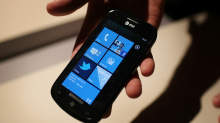
AT&T LG Quantum Review
Windows Phone 7 is brand-spanking new to the mobile OS world, trying to win back hearts of millions of disenchanted WM 5 and 6 users who grew frustrated at the lack of change. With iPhone and Android taking charge in popularity and user friendliness, Microsoft’s reputation in the world of handheld devices grew more and more sour to the point of scrapping the entire WM project and starting from the ground up. Thus, Microsoft has released a completely unknown and unproven OS around the globe, hoping phone manufacturers and consumers will welcome Windows Phone 7 with open arms. It’s a huge risk for anyone to invest so much money in this new platform.
So far only a few players have stepped up to the plate to take that risk. LG is one of those players, introducing the Quantum and Optimus 7 handsets as its primetime investments. Today I will be reviewing the Quantum, now available in the US on AT&T.
While Microsoft has set a very specific criteria for OEMs to follow in making WP7 handsets, the LG Quantum still has been able to stand out of the crowd by offering the only horizontal slideout QWERTY keyboard in the US as of this writing (The Dell Venue Pro is the only other handset in the US with a physical keyboard, but uses a vertical slideout keyboard instead).
To note, I love the choice of the phone’s name. Hearing Quantum always makes me think of quantum mechanics/physics and Quantum Leap. No matter which way you think of the word, it signifies a rather large jump forward in one way or another. This is incredibly symbolic of the goal Microsoft is attempting to achieve with WP7.
Thanks to our friends at LG we have been given the opportunity to review the Quantum for a couple weeks, and it’s time to share our thoughts with you. How does the LG Quantum act and feel, and how does it hold up against its WP7 brethren? Find out in this full review of the LG Quantum.
Hardware and Design of the LG Quantum
In the worldwide launch of WP7, it’s almost as though all the phone companies got together and drew straws to decide which form factor each company would design; there are so many different types of Windows Phones out there that you really have your choice of whatever style fits your needs. LG chose to include a full-sized physical QWERTY keyboard in designing the Quantum and threw it in as horizontal slider.
Doing so does mean that the phone itself weighs 6.2 ounces and spans out at dimensions of 4.7 x 2.34 x 0.60, making it heavier and thicker than its competitors. Fortunately it does not sacrifice style points or even comfort points in the process. When I held the phone in my hands I did not feel like it was too heavy for it to be comfortable. On the contrary, I actually felt that the LG Quantum is the most solidly built of all three AT&T WP7 devices. The Quantum is built primarily with rubber and metal materials. Instead of being the primary ingredient, plastic is only thrown into the mix as a secondary material. Not only does the rubber and metal give it a more solid feel, it also makes the Quantum more aesthetically pleasing. For instance, the back cover is all brushed metal and adds a very classy look to the device. The rubber sides make the phone already feel like it has a case on it, even though it doesn’t.
The Quantum uses a 3.5? capacitive TFT touchscreen with a resolution of 480 x 800 pixels. This is small compared to the larger touchscreens of its WP7 brethren, but it does help the Quantum feel more compact than it really is. The touchscreen does not feel too small; on the contrary, it’s just right for the phone’s design. Any larger would cause the Quantum to be a behemoth as a whole that wouldn’t even fit in your pocket comfortably. Fortunately, LG used the right blend of decent screen size with keyboard size and made it work rather well.
Microsoft requires the same 3 buttons be used on the front of every WP7 device: back, home, and search. Both back and search are built into the screen display and are only touch-sensitive, whereas the home button is a lonesome physical button down all by itself, down below the screen. This is a special design technique that LG used, and having a physical home button works very well.
Touring around the sides of the phone, on the right side you will find a volume up/down rocker and camera button. The bottom has absolutely nothing. On the left side there is a micro-USB charging port that is covered by a plastic flap that can be peeled off to reveal the port; most phones use the flap as a standard to keep dust and moisture out, though I worry that it may be easily torn off if not careful. On the top you can see a standard 3.5 mm headset jack and a power/screen lock button.
The back of the phone has a brushed metal battery cover that displays the LG and Windows Phone logos on it, and you can also see the 5 MP camera and LED flash accompanying it. Seeing this kind of battery cover along with the neighboring rubber shows me that LG was very concerned about making their phone to last long enough to get your money’s worth out of it, and to make it a more enjoyable experience using the phone overall.
In my reviews, one huge deal maker or breaker is the keyboard. If it’s not comfortable enough to use, it’s almost impossible to recommend since the chances of that phone’s keyboard becoming miraculously comfortable over time are slim to none. Thankfully I had a great experience using the keyboard on the LG Quantum. The sliding mechanism is incredibly solid and built strong. There is no looseness whatsoever but yet the slider is easy enough to slide open without considerable effort or strain.
The Quantum keys are comfortable to type on with my average-sized fingers and thumbs. Each key has been separated out and ever-so-slightly raised as to make the keys easier to press. Looking more closely at the keyboard itself, there are four rows; the bottom row is dedicated primarily to the space bar, direction pad and emoticon button, while the remaining 3 rows are for the letters. The number row is partnered up with the usual top row of letters, meaning the Q is also 1 and so forth. There is no .com button. Curiously the “fn” button, the button responsible for shifting your typing over to the blue symbols such as numbers or punctuation marks, has been pushed off to the left side to hang out with the upper arrow button. This took some getting used to, since pressing that button so far to the left doesn’t feel natural to me. It just seems out of place, as if it was just an afterthought.
We don’t see anything new or out of the ordinary on the LG Quantum’s hardware or design; it’s just built to last and knows its primary purpose, and fulfills that purpose well.
Firmware and OS on the Quantum
It shouldn’t come as a surprise that the LG Quantum uses the brand new Windows Phone 7 OS. I will be giving a full review of WP7 shortly. In short, the WP7 interface is what will either get you interested in the Quantum to begin with, or cause you to be uninterested in it and be looking for a different phone. Microsoft took a few lessons from Apple and tightened down the restrictions on what its phones can and cannot do, which means the UI you see on the Quantum is the same as you’d find it on any other WP7 device. There are only a few minor differences between the two, which I will cover in another section, but mostly your experience with WP7 on the Quantum won’t be any different at all than on its competitors.
Overall I have been very pleased in using Windows Phone. As a first-generation OS, Microsoft has out-performed the first-gen version of any other smartphone OS ever made, including that of the iPhone (which when it first came out did not have apps, couldn’t send MMS and lacked several key features any self-respecting smartphone would automatically come with). The screen is incredibly responsive; no matter how I swiped or touched the screen with my fingers there was no delay whatsoever. Pinch-to-zoom worked beautifully on the browser and maps.
I was happy to see that the Quantum comes included with 16 GB internal storage space inside the phone. This memory is not expandable, unfortunately, because Microsoft chose not to give users access to the MicroSD slot on any WP7 device (with the exception of the Samsung Focus; even though the MicroSD slot is accessible on the Focus, however, AT&T has acknowledged that no current microSD card is fully functional until new ones can be produced that are Windows-certified). On the Quantum this particular slot is covered up with a secured silver plate and unless you are paying attention to it, you won’t even know it’s there.
Using a sideways sliding keyboard on the Quantum, I quickly noticed another interesting aspect of the Windows Phone OS: landscape mode is limited and not universally used in every application. I definitely could open the keyboard and be warmly greeted by landscape mode on Internet Explorer and Messaging, but several other native and third-party apps could not function in landscape mode even though the keyboard was slid out. For instance, I attempted to go into Slacker and had to type in my user name and password while turning my head sideways to look at what i was typing in portrait mode. This may become more universal with the introduction of new WP7 updates, but currently is rather frustrating. It’s a Microsoft limitation, not LG, but just having a horizontal QWERTY keyboard makes that limitation painfully obvious as you begin to use the phone on a regular basis.
The Quantum is full of great features that aren’t unique to the WP7 world: 1 GHz CPU, 256 MB RAM, GPS, 5 MP camera with 720p HD recording . But the fact that these aren’t unique to Windows Phone 7 is a compliment to the cutting-edge nature of the new OS. No slowpokes or “budget” devices allowed; each device has to include these kinds of specs, if not even better than these, in order to use WP7. This is admirable simply because it shows Microsoft only wants its phones to be high-performance. This will greatly reduce the possibility of a bad phone hurting the OS’s reputation. Wanting to be cream of the crop, LG’s Quantum definitely fits the bill as a high performing device. I will go into more detail on how LG stands out later in the review.
Multimedia/Internet Capabilities
Microsoft has integrated Zune into all of its phones in attempt to give each device the richest possible multimedia experience. Whether it’s watching videos or listening to music or podcasts, Zune is tightly woven into the Music+Video app on the LG Quantum. If you plan on using any sort of multimedia on the Quantum, it will be essential to download the Zune application on your PC (or for Mac users, a beta version of Windows Phone 7 Connector is available for download as well). Plugging in the Quantum you will be able to move music and video files to it from your computer easily, not to mention pictures or videos from the Quantum to your computer. Once I loaded my music onto the Quantum via my PC, the phone automatically started searching through the Marketplace to find artist info, bios, album covers, and other related information to the music I loaded in.
The Zune pass is also available to use on the Quantum. For $14.99/month you can choose to subscribe to Zune pass, which gives you unlimited streaming of your favorite songs and 10 free downloads that you can keep each month. It’s definitely recommended to get the Zune pass and use it directly on your Quantum. Zune access is tied into the phone’s marketplace so that you can search not only for applications, but games and Zune songs and artists as well. Zune also offers support for podcasts and radio as well. One additional option AT&T throws in (again, for a monthly fee) is AT&T radio, which is essentially another streaming internet app along the same lines as Pandora or Slacker. Frankly, Slacker is already available for free through the Marketplace, so it’s hard to argue the need to shell out extra money each month for a similar service.
One cool feature that you’ll find on Windows phone 7 is the ability to automatically upload any picture or video you take directly to your online Skydrive account, which will already be setup for you since you had to create a Live account to begin using the Quantum in the first place. The Skydrive will offer you plenty of space to store and backup all of these pictures taken on your phone so you — or any of your friends — can check out your latest pics. If you don’t want to share your pics with anyone, you have the ability to keep them private or just not upload to Skydrive at all if preferred.
Video playback is great on the Quantum. Taking advantage of the above-average screen resolution I was impressed by the image quality of the videos loaded onto the Quantum. Most major video formats are supported, so there is no need to worry about what type of format to put your movies into prior to loaded it in your phone.
Internet Explorer was fast and easy to use, both through AT&T’s 3G network and WiFi. IE supports multiple open tabs and landscape mode, and the pinch to zoom functionality works flawlessly on it. There is no delay, no catching up. It’s incredibly responsive and quick. I also didn’t have any problem downloading pages or even apps using the Quantum.
I enjoyed using the camera on the Quantum as well. With a 5 MP camera, it’s on par to compete with the other top players in the market like the iPhone 4 and Samsung Galaxy S. The pictures (and HD videos also) turned out just as crisp and the colors just as vibrant as the aforementioned devices. Definitely right on track to be a top competitor here. Here are a couple pics taken with the Quantum’s camera:
Marketplace Apps on the LG Quantum
Microsoft gives each manufacturer the opportunity to place their own app store into the Windows Phone Marketplace. That way when you use the Quantum to check out the marketplace, LG App Store is one particular option to look at. Inside, LG has developed several exclusive apps that can only be used on the Quantum or Optimus 7. Here are some of the apps LG features in the store:
Play-To: This app is DNLA-based, which means you can connect your Quantum with your PC, Xbox 360, or TV through your local WiFi connection. Through this connection you can stream any movies or music from the Quantum onto any of these other devices, effectively turning your Quantum into its own remote control of sorts.
Look n Type: If you walk and text at the same time, it’s a good idea to be safe and look where you’re going. With Look n Type, it turns your camera app on and overlays your messaging functionality on top of it. This lets you type while seeing the ground in front of you. Clever idea — now only if someone could come out with a Drive n Type app, we’d be set! (disclaimer: texting and driving is very bad. Don’t do it.)
Tool Box: A handy 7-apps-in-one app. It offers a flashlight, level, unit converter, and world clock, amongst others.
Panorama Shot: Just as it sounds, this is a camera app that automatically puts your pictures into a 360-degree panoramic shot. Great for scenic pictures.
Photo Stylist: Much like Photoshop.com, this takes your phone pictures and lets you add extra filters and effects to them, to add style and coolness to them.
A?ll of these apps offered in the LG apps store are free and easy to download.
Performance of the LG Quantum
The shining star on the Quantum is its battery life. We’ve noticed much improved battery time on Windows Phones in general, but after playing with the Quantum for a week I was quite impressed by how long it really does last. I typically start the day with a full charge at around 9 AM and use the phone regularly throughout the day: meaning I make random calls, do texts and emails, use Twitter and Facebook and search around all of my other apps on the phone, and still end the day with around 20% charge. So even though I still charge the phone every night, this is a huge improvement in battery life over most iPhones or Androids that I’ve used in the past.
Making and receiving calls ended up being a great experience, as the audio quality was excellent on both sides of the conversation. I always understood everything on the other end of the line because the calls were crisp and static-free, the speaker on the phone is sufficiently loud, and I never had any concern dropping calls.
As mentioned earlier, the high standard of top-quality specs in any Windows Phone will help it be a good performer, but I was still impressed by how quick and responsive the LG Quantum is. I never had any delays getting into apps, or even moving back and forth through the menus of the phone.
Overall I was pleasantly surprised using the LG Quantum. The only frustration I had with the phone was the on-screen keyboard just simply because it felt too tiny to use; however, this would always prompt me to just slide open the keyboard and take advantage of faster typing that way. Any other frustrations I had were based off the Windows Phone OS (which I will cover in my full WP7 review) and not the phone itself.
If you are looking for a Windows Phone that uses a full physical keyboard, I recommend the LG Quantum as a great option for you. To get more details on the Quantum, check out my full video review below as well as the complete photo gallery that shows off the Quantum.
You can also win 3 LG Quantum and 2 Optimus 7 smartphones by filling out our survey.
If you liked the post, you might find these interesting too:
- Win 3 AT&T LG Quantum and 2 LG Optimus 7 WP7 handsets with us
- Unboxing the LG Quantum Windows Phone for AT&T
- Unboxing the LG Quantum: Brad’s First Impressions
- Microsoft Zune / Pink phone coming in two months, WM7 included?
- “Zune phone” references coming straight from Microsoft
-
Best info yet.
-
Thanks for the informations. Now I am confuse what to buy if this phone or Samsung Galaxy. What do you think?
blog comments powered by Disqus
« Unboxing the Samsung Continuum on VerizonApp Review: Google Reader for Android »
Book Mark it-> del.icio.us | Reddit | Slashdot | Digg | Facebook | Technorati | Google | StumbleUpon | Window Live | Tailrank | Furl | Netscape | Yahoo | BlinkList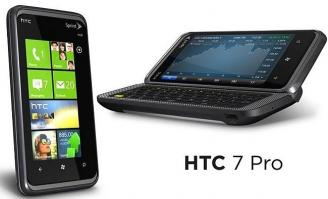
Windows Phone 7 – WP7 is good, but its not smart?
Your Windows 7 is the latest mobile operating system hit the scene and hands down the sexiest smartphone OS out there. WP7 is brand new. The user interface is like nothing you’ve seen elsewhere. Tile animations and transitions are smooth as silk. It is obvious that Microsoft decided to put emphasis on design and eye appeal of WP7, giving the operating system of the type of aesthetic you see in the glossy pages of magazines high-concept or in the hallways of the schools of design art /.
windows-phone-7
But what of your Windows 7, slick animations, clear text, and the refined style of room left for a high-level operating system that is able to go hand in hand with the best of what Google and Apple have to offer? Let’s look at Windows 7 Phone breaking features and pros and cons.
What better place to start than the beginning?
Good
* Responsible for user interface
* Crisp text and graphics (almost like e-Ink)
* Seamless integration of Facebook
* Quick Start from the camera to capture fleeting moments
* Interface clear
* Attractive aesthetic design that calls for a high concept magazine
* Easy Google, Facebook, installing Windows Live
* Did we mention that the elegant, new, eye-candy user interface?
The Bad
* Not compatible with external storage
* The lack of cut-paste functionality / (coming in early 2011)
* Does not have WiFi hotspot
* The lack of integration of Twitter (coming soon)
* Finnicky Google integration
* No unified inbox and e-mail thread
Applications * not persist in the background
* Most of the operating system is optimized for vertical view (horizontal orientation is not as ubiquitous as we would like)
Navigation
Only three navigation keys that have to be familiar. Microsoft has mandated that phone manufacturers must meet a design specification handset that requires a strict standard format, in three keys. You have the “new” on the left, moving, well, backwards. The central key is the “Start” key, which is similar to the “Home” button on Android and the iPhone. The startup key takes you back to the home screen (more on that later) and is the central point from which to navigate through WP7. The right key “search” key, and sends the integrated search application Bing. From this application you can search the web for web sites, local businesses, and any news that match your search terms.
Lockscreen
When you turn on the screen, which is received by the LockScreen. You get the information out-in signal strength, Wi-Fi connectivity, Bluetooth connectivity, battery level, time, date, calendar of events, and missed calls and messages waiting. The good thing is that you can turn on the camera LockScreen, even when the screen is off, pressing the dedicated camera shutter.
You can change your wallpaper LockScreen going to the Settings menu and choosing a new splash image to LockScreen. You can also set a password for security LockScreen.
The best part of the LockScreen is that you can view pending messages and upcoming events calendar without having to start the e-mail applications or calendar. Just turn the screen and get quick access to important information.
Home screen / home screen
Windows 7 wp7 your home screen home screen FIX: Windows 7 Phone WP7 is sexy, but good enough to compete Slide your finger up the LockScreen and take you to the “Start”?. This is a home screen design completely new to Windows Phone 7. The home screen WP7 Start serves a variety of “tiles” that can rearrange your needs. The boxes on the Home screen gives access to everything from basic phone applications web page. You may dial “WP7 applications, contacts, websites, and even this OneNote startup splash screen – the idea is to give a single user interface and centralized that lets you navigate around the device in a way that minimizes the time it takes for you to dig and find an application or a favorite photo.
Kinetics of movement and touch sensitive controls are the name of the game here. All windows have kinetic scrolling enabled – allowing you to quickly scroll through a list with a flick of a finger, using the momentum of his film to scroll through the list. At the end of a list, icons / tiles / text that is moving around will “Smoosh” and recover, rather than abruptly stopping at the end of the list. It’s a subtle touch that goes a long way to give the user interface WP7 a very refined, high-concept feel.
The highest four pieces are always set your phone, people, messaging, email and tiles. The next group of four tiles are customized by the manufacturer of mobile phones and / or wireless service provider who sold you your phone WP7. You can rearrange tiles by tapping and holding on a tab and then move to the desired location on the home screen. Tile is not cleared automatically, so you can get a little irritating at times.
Music Videos
Windows 7 Review wp7 video phone FIX: Windows 7 Phone WP7 is sexy, but good enough to compete Zune integration?. That is the key to the music and video experience in WP7. The central idea behind the Music Video is that it serves as a central base from which you can access all media. If you have a subscription to Microsoft’s all you can eat music streaming services, Zune Pass, WP7 is the smartphone OS for you. You can stream music to your taste, and all you have to do is log on to Windows Phone with your Windows Live account.
What? You do not have Zune Pass? Do not worry, you can still transfer music (including playlists) from your computer to your Windows using the Zune client / application on a PC or plug your Windows for Mac can also buy songs on the Zune Marketplace, either your phone or PC (with credit card link to your Windows Live account). Unfortunately Mac does not get this feature. Mac can only sync songs and pictures to your Windows at this time.
You can play videos through the phone application Zune Player. These videos have to be transferred to a computer. Can not buy videos on the market using your phone. If you want to buy videos for your phone, you will need to purchase using your desktop and sync it to your phone.
The media player can play a variety of file types:. MP3, M4A (AAC), WMA, MP4, M4V, WMV, and jpg formats are compatible with the media player ……. Video playback almost instantly, with little waiting to begin playback. The controls are simple. Simply touch the screen to open the playback controls (play, rewind and fast forward). Unfortunately, the lack of a tedious debug toolbar to move to the end of a long movie. That’s a small-time con to WP7.
Games
Windows 7 games wp7 review your FIX: Windows 7 Phone WP7 is sexy, but good enough to compete as Zune Pass is tightly integrated with WP7, Xbox Live is also integrated into the platform?. From the middle of games, you can access all types of online games, downloadable games, game testing applications of friends who want to play with you in an online battle of wits, and even keep tabs on your Xbox Live account . All you have to do is access your Windows with your Windows Live ID to be connected to your Xbox Live account, and you will have full access to your avatar, its accessories and wardrobe full access.
With a free download, you can enable all sorts of features of Xbox Live on your Windows Phone. You can see what your friends XBL are doing on their mobile, PC or consoles, and even messages via text message XBL. You can also show off their achievements to anyone on your friends list.
The play center is also where all the downloaded games are saved automatically. When you buy a stock game, you can not see the game in the list of applications. The game will be saved to your gaming center, where you can go to not only play your downloaded games, but also discover new games for download. The center also will notify you of any request for the game from friends who are waiting for you to play with them or when it is your turn to make a move.
Search
wp7 your search Windows 7 FIX: Windows 7 Phone WP7 is sexy, but good enough to compete in the search for your Windows 7 is sensitive to context – which means to search through different media depending on the task at hand?. There are two levels of “search” in WP7. You can choose to search the web for content related to search terms or search within an application. Tap the hardware button “Search” from the home screen and can search the Web for relevant web sites, local businesses, and even news related to the search term. In applications with a search field, a single tap on the hardware search button allows you to search words in the application. A second tap the hardware search lets you search the web, like the home screen.
The search tool will return results Bing search for web hits, local businesses, news and even shock. If you search for “sushi”, Bing will show results for “sushi” local companies serving sushi or sushi are related in some way, and even give you news about sushi. If you decide to dig into a local sushi-related, Bing serves business reviews, phone numbers, websites, hours of operation, and even tests and nearby businesses. That is what we call exhaustive search.
Your Windows 7 will allow you to find the definition of a word in a document. Simply touch the target word to highlight it, then press the search button hardware. WP7 automatically start searching the web for the results for the highlighted word. Is a characteristic small, but surprisingly useful to increase your vocabulary.
In general, the search is done very well in Windows Phone 7. We would like to be able to search terms to cut and paste into the search box, but seeing that the function will WP7 in early 2011, we will search for a solid two thumbs up.
Email
wp7 mail your review Windows 7 FIX: Windows 7 Phone WP7 is sexy, but good enough to compete e-mail is as good as anything the iPhone or Android can offer?. You get complete support HTML email, which means you can view emails with luxury-schmancy formatting and embedded images (you have to allow the email client to download images, thoughts – review spam). Emails can be updated at regular intervals or pushed to your phone as they come in. And, emails are integrated into live Tile sitting on the home screen and automatically update the inbox email without having read.
If you receive an email with an address or telephone number on the inside, WP7 recognize data and highlight it for you. Clicking (tapping) on the outstanding data automatically take you to the phone to call the number or Bing Maps to show where the address on a map. In early 2011, copy and paste will spread to your Windows 7, which lets you do whatever you want with phone numbers and addresses, but by the time the email client handles this type of data as well. That is, unless the address or phone number format is strange or is surrounded by several numbers – in which case, WP7 and not be afraid to dial the correct number or pull up the correct address (this should not occur too often).
Unlike the iPhone, you can attach pictures to an email from the email client. With the iPhone, if you finish typing an email and decide you want to attach a picture, you have to copy the text, the waste from your current e-mail, go to your photo, share it via email, then paste the text again in the email. In WP7, all you have to do is click “connect” icon at the bottom of the screen and you can choose the image (s) you want to attach.
If you need a unified inbox, WP7 will not meet at the time. There is no unified inbox. Microsoft may or may not release an update (which is tilted to the “may”) for the line that enables unified inbox for e-mail client on your Windows 7, so keep that in mind. Also do not threaded views of email, it’s a great thing for us.
Mail your Windows 7 is good. Is better than the iPhone or Android had nothing to offer in its early days, and is almost as good as anything they have to offer today. In some ways, e-mail in WP7 is better than iPhone today. That’s saying a lot.
Map
Windows 7 maps wp7 your FIX: Windows 7 Phone WP7 is sexy, but good enough to compete You do not get turn-by-step GPS navigation, but you get what we think is the more polished experience maps in the case? smartphone. With a fast connection of sufficient data, maps fade in the light of an organic way. The map data is displayed as if being covered by clouds, unlike the pictures of Google Maps which tends to cool the load. This is especially evident when zooming into a part of the map – it just feels softer and less irritating than the iPhone and Android
You can choose aerial view or map in Bing Maps. We prefer the view of maps, but if you like the “satellite view” look, then you’ll want to opt for the aerial view. On top of that traffic data can be superimposed on the map, which shows that in the worst traffic is where you can find free flow paths.
Bing Maps is also integrated in the search. Tap the result of “local” search and you will be transported to Bing Maps, which shows exactly when a particular company or the address is located. You can then click on the address flag for more details on the location, business valuations, phone number, website, hours of operation. Go to the left of this screen to read the individual comments on the business. Go left again to see what is nearby.
Addresses embedded in emails and text messages automatically a link to Bing Maps. Most of the time, just click on the underlined address and move to the map application. Sometimes, however, if the address is surrounded by numbers or just the format of a non-standard way, WP7 will recognize the right direction. This is a case in which the lack of cut and paste into play nasty tricks.
Maps Bing is the new gold standard for mapping Smartphone. Which lacks some features – such as public transport management and step-by-turn GPS – but it’s mostly an amazing experience.
Internet Explorer
wp7 your web browser Windows 7 review FIX: Windows 7 Phone WP7 is sexy, but good enough to compete with Windows 7 Phone in hand, you do not have to worry about dealing with the Internet Explorer web browsers in recent days?. We will avoid commenting on the desktop version of Internet Explorer, because, well, that’s just going to make us all their states. Instead, we focus on the experience of Internet Explorer Mobile – some of you know the mobile web browser like Pocket Internet Explorer (PIE) – and how it has grown in WP7.
Gone are the days when Internet Explorer Mobile for Windows Mobile that you were forced to use a stylus to navigate efficiently through the interface clumsy. The new Internet Explorer for Windows Mobile Phone 7 pass-tastically is optimized for contact entries. Shares DNA with the desktop version of Internet Explorer 7 and Internet Explorer 8. HTML5 handled smoothly and serves the same crisp text, provided sub-pixel that makes the rest of WP7 will look as good. In summary, the IE Mobile in WP7 is light years better than they may have known since the days of Windows Mobile.
The browser support for tabbed browsing up to 6 different windows simultaneously. Unfortunately, they were not really able to see more than a couple of chips at the same time. Load multiple web pages simultaneously can be difficult for system resources, and it seemed as if WP7 had trouble keeping more than a couple of tabs loaded at the same time. Sometimes had to wait for pages to reload after the other navigation tabs. Not a big concern, but is annoying enough to mention.
Another irritating aspect of the web browser is the inability to lift the address bar when in landscape orientation. The browser works fine and dandy in vertical view, but if you turn the phone sideways for a panoramic view, you can not access the address bar.
On the positive side, the pages load in the background as the fire in a new tab and start browsing another website. This is a fundamental characteristic, and is one of the few cases where proceedings are still in the background. Windows 7 your not really multi-task – some applications will work in the background (such as FM radio, Pandora, Web pages load in the browser), but most simply close to return to the home screen.
Internet Explorer Mobile, its end is more or less on par with the iPhone and Android web browser. You may need a bit more polished, but the current state of Internet Explorer Mobile is good. Not the best, but good enough.
Will Windows 7 Phone more than just a pretty face?
Let’s start with the obvious. Your Windows 7 is the sexiest smart operating system we’ve seen so far. It is super sexy model. Have that itch factor contradicts undercover elegance and poise of its aesthetic design. Hands down, WP7 will webOS iPhone and a serious run for their money, so it is referred. But Windows 7 phone has what it takes to be more than a pretty face?
The answer depends on how you will use your smartphone. For most people, WP7 will be a great alternative to iPhone and Android. You can sync all your emails (with full HTML support) and let you know when you have unread mail sitting in your inbox. You can browse the full Web with the kind of interaction emerging multi-touch zoom to the iPhone, Android and webOS users have enjoyed for years. You get quick and easy access to information in their social networks. You can use the cube of Microsoft Office to do serious work done. You will enjoy a new user interface is a new beginning of the application for the iPhone and user interfaces based on Android – shingles, artistic and incredibly defined text. And, to top it off, you get unparalleled integration with Xbox Live and Zune Pass.
But here’s the kicker, if you are the type of power user who needs applications like Twitter to keep running in the background, is based largely on Google services (Google Calendar, Google Contacts) and not possible without a unified inbox, WP7 may not be for you. For those of you who belong to this group, make sure you know what you’re getting into.
For most people, your Windows 7 will be more than a pretty face is a smartphone platform fully competent and convincing. Is good, and it does not hurt that the UI is fresh and new.
* Note: The functionality of “cut and paste WP7 will be activated with an update in early 2011
Book Mark it-> del.icio.us | Reddit | Slashdot | Digg | Facebook | Technorati | Google | StumbleUpon | Window Live | Tailrank | Furl | Netscape | Yahoo | BlinkList
Improved Windows Mobile 7 coming
THE GIZMO: Windows Mobile 7 comes on strong.
DON’T GIVE UP THE FIGHT: Ever hear the gag about the poor inventor who kept trying to come up with a soft drink – starting with a recipe he called “One-Up”? He finally abandoned the cause after six tries. You can guess the punchline. Someone else took it to seven and scored big.
Today, that “someone else” is Microsoft, likely to make a sizable dent in the smart phone market with its vastly improved Windows Mobile 7 operating system.
While ever-persistent and deep-pocketed, prior versions of Microsoft software are found in just 5 percent of the world’s mobile communicators. The big operating system winners are Symbian (backed by global giant Nokia), then RIM (BlackBerry), Android and Apple.
But with Windows Mobile 7, the backbone of several smart phone models going on sale in Europe today and landing in the U.S. Nov. 8, starting at AT&T and T-Mobile, Microsoft shows it’s learned from past mistakes. It could win a big bunch of fans, too, with “ease of use” as its mantra and a reported $500 million advertising launch campaign for insurance.
SMART PHONES FOR DUMMIES: Hate to read operating manuals? Uh, me too. Yet, the HTC Surround phone ($199 on contract from AT&T) with Windows Mobile 7 that I’ve been trying out has proven so simple, so intuitive that I’ve barely made a wrong move or gone down a dead-end street.
The visuals were designed by the same graphic design/interface team that worked on the spiffy Zune HD player. Their home screen is based around preloaded tiles on the phone home page called “Hubs” that are really content aggregators, integrating related “apps.”
Just tapping on one of the “tiles” (or the menu arrow) and then swiping with a thumb in vertical and horizontal directions keeps the traffic flowing more smoothly than it does on iPhone or the (more cumbersome) Android.
Especially well-suited for the social networking crowd are the constant visual updates of incoming text messages on both the welcome and home pages. And multiple feeds like Facebook and Twitter get pushed to the “People” hub. You can easily bounce back with a text message or phone call just by tapping on the person’s name or photo. All their contact information is likewise integrated here.
WM7′s music and video hub currently connects just to Zune, Microsoft’s subscription and pay-as-you go video/audio entertainment operation. But my review phone also had a separate tile connecting to AT&T U-Verse Mobile, usable with a home account or as a $9-a-month streaming service with a limited array of TV offerings (at least it has “Mad Men” and “Rubicon”).
Playing to other Microsoft properties and strengths, there’s an improved version of Internet Explorer and a dedicated hub for Xbox Live (for game downloads, chat and “more”) that should please the user base.
There’s good integration with Office productivity programs and easy access to Microsoft’s cloud-based Skydrive service, where you can also store or share photos taken with the HTC’s decent, five-megapixel camera.
While video conferencing is missing, I love the phone’s dedicated picture-taking button, which works without opening an app. There are also three hard buttons below the screen on every WM7 phone to go back or home or open the Bing search engine, which does good work with voice or text command and GPS navigation.
App tiles can be moved around or replaced easily with a process called “pinning,” already familiar to Windows 7 users.
THE GOOD, THE BAD, THE UGLY: The touch screen on the HTC Surround is clear and bright, and the virtual keyboard is a pleasure to use, with predictive word suggestions that speed the texting process. But if you accidentally swipe the screen sideways, the phone display may go flying to an adjacent page.
Heavy Internet use wore down my test phone’s battery in a little less than four hours. But you can swap out the battery – not possible in iPhones – or recharge pretty quickly (2 1/2 hours).
HTC named this phone “Surround” to emphasize its superior audio quality; a slide-out panel reveals side-mount speakers that play louder than most and with a wider sense of signal throw. Yet high fidelity, this ain’t.
At the moment, Windows Mobile 7 phones won’t let you cut and paste text, and Flash support is missing. Fixes are promised.
This system also lacks “multitasking” support – maybe a deal-breaker for power users. To compensate some, when you slide back to an application after a call, you’re just where you left off.
Launch applications available at the Windows Mobile Marketplace will be a drop in the bucket next to the 200,000-plus apps available for the iPhone and 70,000-plus for the Android operating system. Microsoft argues that it’s building in more “essentials” that other systems make you add on, and trying to keep its guard up for ease of use and integration.
But when a major player like Pandora, available on almost everything, says it’s sitting out this launch, you gotta wonder if Microsoft isn’t pushing the control button too hard and often.
Send e-mail to [email protected].
Book Mark it-> del.icio.us | Reddit | Slashdot | Digg | Facebook | Technorati | Google | StumbleUpon | Window Live | Tailrank | Furl | Netscape | Yahoo | BlinkList
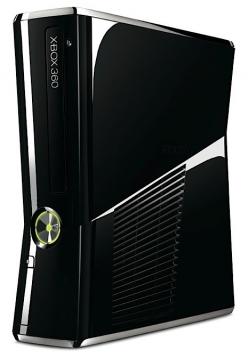
The New and Improved Xbox 360 Dashboard
Prior to the Xbox 360 Kinect launch on November 4, Microsoft will issue a new update for Xbox Live. ESPN, Zune Music, and additional features such as Netflix search and updates to the Zune video interface will be a part of this new version.
In case you missed our article from last week, you can read about our impressions of these new feature sets right here.
The company sent word this morning there will also be additional upgrades to the Xbox 360 dashboard, some of which may not be noticeable at first.
Here’s a breakdown of some of the new features per Microsoft:
Book Mark it-> del.icio.us | Reddit | Slashdot | Digg | Facebook | Technorati | Google | StumbleUpon | Window Live | Tailrank | Furl | Netscape | Yahoo | BlinkList1. Improved voice quality – the audio codec is being updated to improve Xbox Live Party chat audio quality. So grab your friends and jump into a multiplayer game, catch a big sports event, watch a movie or do all three.
2. Improved experience for changing your Gamertag – choosing a new Gamertag? If the Gamertag you’re looking for is already taken, your Avatar will spin a wheel and we will provide five other Gamertag suggestions at a time for you to choose from.
3. Streamlined in-dashboard virtual keyboard – we’ve taken the existing QWERTY keyboard in-dash and made it easier to use for scenarios that involve repeated text entry, for example when signing up for Live within the dashboard.
4. Improved Xbox Live Marketplace UI and browse experience – the Games Marketplace has been re-organized to provide streamlined access to the games and content you want, reducing the number of steps it takes to get to a download.
5. Avatar changes – we’ve made your Avatars slightly more proportional so you can better play Kinect games
6. Easier to get on a wireless network – trying to connect to a wireless network? With the next update, you’ll see a list of all the wireless networks within range when you go into network settings. From there, you’ll be able to select a new network or further configure the network you’re connected to.
7. Ability to sign-out other controllers in the sign-in UI – we’re adding the ability to sign-out profiles on other controllers in the sign-in UI within the Guide. This is especially useful when playing games like Rock Band.
8. New browse experience for 100% completed games – you spent a lot of time and effort earning those Achievements, so instead of only being able to view your first dozen completed games, we’re giving you a new and better way to browse all of them.
Microsoft’s Tablet PCs: How Bad Will They Be?
Microsoft’s Tablet PCs: How Bad Will They Be?
It’s a terrible reaction, isn’t it? We just can’t help but have it, though. Every time Microsoft comes out with something aimed at tackling an Apple consumer blockbuster, we just cringe. The Zune still looms large in our consciousness here at RCPU.
And so we wait impatiently for Microsoft’s slate computers, which Steve Ballmer says that we will see — in some form or another; he didn’t specify how — by Christmas. We’re impatient not because we want to run out and buy one but because we can’t wait to start making fun of them.
Oh, come on. There’s precedent here. The Zune. The Kin. Anything in the mobile space, for that matter. Outside of the Xbox, which still isn’t a moneymaker in Redmond, Microsoft just isn’t good at making “cool” technologies. Apple is — witness the (apparently unprecedented) rapidity with which consumers have adopted the iPad.
So, we’re pretty sure that Microsoft’s Windows tablet — or slate, or whatever — will be embarrassingly lame and way behind the efforts of its competition, kind of the way Windows Phone 7 will be when it debuts next week. And we wonder again: Does Microsoft really need to do this? Is there anything wrong with being an enterprise-technology company first and foremost?
After all, iPad sales aren’t really hurting PC sales at all. People don’t just buy an iPad. They buy an iPad, a laptop, a smart phone, maybe even an iPod — all sorts of things to use at the same time. Look around your house or your office. Have you consolidated all of your computing — recreational and professional — onto one machine?
We here at RCPU sure haven’t. And next time we buy a smartphone or a music player (the notion of a tablet has no appeal to us), we likely won’t buy a Windows device. But your editor’s year-old netbook runs XP, and the next laptop that enters this house will almost assuredly be a Windows machine, as will the next PC that your editor’s company doles out to him (if that ever happens again).
Microsoft, with some smart management, could thrive as an enterprise-focused company and leave the low-hanging consumer fruit to competitors. We’ve been banging this drum for a while now, and we’re going to keep banging it — particularly this holiday season, when Microsoft’s tablet is sure to have the appeal of stale fruitcake.
Would you buy a Windows tablet? What would persuade you to purchase one? Sound off at [email protected].
Posted by Lee Pender on October 06, 2010 at 9:35 AM
Book Mark it-> del.icio.us | Reddit | Slashdot | Digg | Facebook | Technorati | Google | StumbleUpon | Window Live | Tailrank | Furl | Netscape | Yahoo | BlinkList
What’s hot (and not) about Windows Phone 7
After more than a month of living with Windows Phone 7, I have to say, Microsoft’s new phone operating system is starting to grow on me.
Although I liked the general look of the operating system, I suspected its simplicity was only skin deep and that over time I would uncover both annoying glitches and places where the phone was all too much like a little computer.
Instead, there are hidden delights. In the past week I’ve found the cursor, voice recognition, and other things that I missed in my first days playing with the phone. Here are just a few examples of features that I only recently noticed: if you are in an e-mail or other place where one might want a cursor, hold a finger down in one place and a cursor pops up that you can then drag to the place you want to go. Click to the left of an e-mail and it brings up the check boxes that can be used to delete multiple e-mails–one of the most common tasks people do on their phones.
Holding down the camera shutter button lets you take a picture–even if the phone is locked. As for the voice recognition, holding down the Windows button brings up an array of voice-controlled features that draw on Microsoft’s Tellme technology.
A decent case can be made that these features should be more obvious, but what’s nice is that these features are discoverable through serendipity as well as from a manual.
Microsoft often throws around the phrase “it just works” as a design goal for a new piece of software. In practice, however, the products rarely live up to that billing. That said, Microsoft appears to be pretty close with Windows Phone 7. Although the software is not final and it is running on prototype hardware (in my case the Samsung Taylor), its clean look isn’t interrupted by error messages, hiccups, or other form breaks.
Above all, Windows 7 is–dare I say–elegant. Even my foreign-language spam looks beautiful on the device. It almost makes me wish I understood all those messages in Japanese, Korean, and Arabic.
Its beauty is more than skin deep, too.
One of the things I demand in a phone is that it behave like a portable consumer electronic device, not like a tiny computer. It should be instant on, easy to navigate without too much thought, and hide nearly all its complexity. To me that’s what made the original iPhone and all its successors such a hit. (It’s also why I think the iPad poses a serious challenge in the market for highly portable computing, but that’s another story.)
With Windows Phone 7, Microsoft doesn’t make up for all of its years of lost ground in this area, but what it does, it does very well.
The camera application makes it easy to take photos and videos and share them to Facebook or send them via e-mail or multimedia message (MMS). The mobile version of Internet Explorer adds pinch-to-zoom and other features that put it in the same league as other mobile browsers.
I’m not a huge fan of virtual keyboards in general, but the one built into Windows Phone 7 is pretty good, especially when accounting for how good it is at making suggestions for what one mistypes.
It’s not all sunshine and rainbows, though.
Most of what I don’t like about Windows Phone 7 traces back to the fact that this is–despite its polish–what amounts to a new first try for Microsoft. There are some key things missing that one finds in rival products. High up on that list for me is the fact that copy and paste are missing. I do a lot of e-mail on my phone, and one thing I like to do is copy chunks out of one e-mail and paste them in another. On occasion I even write whole stories on my BlackBerry. I can’t do that on Windows Phone 7.
My biggest gripe is battery life. Despite being a vast improvement over the hour-and-a-half life it once got, my Windows Phone 7 device won’t get me through a busy workday–and that’s without listening to music or playing games (I still don’t have any third-party apps on the device).
That said, I’m told that Microsoft and its partners have made further gains in battery life and that the shipping devices should at least reach my goal of being able to be used hard for a full day (and I’m not talking just an 8-to-12-hour workday here).
I hope so, because the built-in Zune player–particularly streaming music over the Web–is one of the selling points of the phone. And, although we haven’t heard a lot about Microsoft’s app strategy, Windows Phone will launch with a whole lot of programs; and it would be a shame if one has to ration use of those programs to conserve battery.
One of the key yet-to-be-answered questions is just how good the final hardware will be. Microsoft has said that the Samsung Taylor units are meant only to show off the software and aren’t indicative of what the first crop of real phones will be like. Several models that are aimed at the market–including phones from LG, HTC, and Samsung–have gotten regulatory approval, but we have yet to get time to see how they stack up to both Android rivals and the iPhone.
Book Mark it-> del.icio.us | Reddit | Slashdot | Digg | Facebook | Technorati | Google | StumbleUpon | Window Live | Tailrank | Furl | Netscape | Yahoo | BlinkList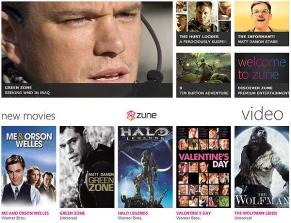
Zune Pass comes to UK
As first reported by LiveSide, Microsoft has begun offering the Zune Pass subscription service to customers in the U.K. The Zune devices have never been sold outside North America, so there hasn’t been much reason to offer the related subscription service, which offers unlimited streams and temporary downloads plus 10 permanent downloads a month. But the Windows Phone 7 software has the Zune HD’s functionality built in, and with that phone platform slated to launch worldwide later this year, it makes sense for Microsoft to begin testing it now.
A screenshot of the sign-up page for the Zune Pass in the U.K.
(Credit: Microsoft)
I was able to confirm the report for myself by signing up for a new Live ID account and visiting the U.K. sign-up page here. Prices are 8.99 pounds per month, or 26.97 pounds for three months; you can also sign up for a free 14-day trial, but you will have to enter a credit card number. It’s not clear what signing up today will get you–Microsoft might add Zune Pass music to the Zune for Xbox 360 service in the U.K.–but eventually you should be able to stream music from the Zune library to any connected Microsoft device.
I’ll update this post as I hear more from Microsoft.
Book Mark it-> del.icio.us | Reddit | Slashdot | Digg | Facebook | Technorati | Google | StumbleUpon | Window Live | Tailrank | Furl | Netscape | Yahoo | BlinkList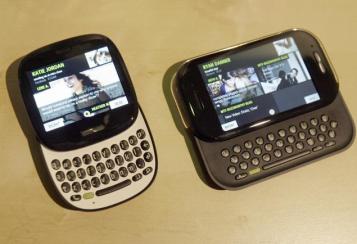
Microsoft waves bye-bye to Kin phones
Microsoft waves bye-bye to Kin phonesComment
Recommend
Well that didn’t take long. Less than two months after their introduction, Microsoft has pulled the plug on the two Kin phones that were supposed to make the company hip and relevant in mobile. I reckon that’s what happens when you throw a party and nobody attends. Microsoft will now focus on its next of kin, the redesigned Windows Phone 7 devices that are slated to appear before the end of the year.
The Kin handsets played completely against type: Unlike Microsoft’s aging Windows Mobile franchise, the Kins were neither staid nor corporate. They included Zune music players, automatic backup of nearly everything you did (texts, photos, call history) and were targeted at youthful customers for whom being social is almost everything.
Actually, the clever “cloud-based” backup feature—what was called Microsoft Studio–was the best thing about the Kins. My feelings otherwise were decidedly mixed. Among other flaws, Kins lacked third party apps, had no calendar (how social could they be without one?) and weren’t all that easy to use.
Here’s hoping Microsoft will include some variation of the Studio backup with the Windows Phone 7 devices that are Microsoft’s next great hope in mobile.
Indeed, Microsoft has major hurdles ahead in mobile. Though I like what I’ve seen in early demos of Windows Phone 7 devices, time is a wasting, given piping hot competition from Google Android, RIM BlackBerry and the iPhone.
In the official statement announcing Kin’s demise, Microsoft said: “We have made the decision to focus on the Windows Phone 7 launch and will not ship Kin in Europe this fall as planned. Additionally, we are integrating our Kin team with the Windows Phone 7 team, incorporating valuable ideas and technologies from Kin into future Windows Phone releases. We will continue to work with Verizon Wireless in the U.S. to sell current Kin phones.”
Translation: no more KINs will be manufactured once current supplies are gone.
Readers, are you mourning Kin’s demise?
By Ed Baig
Book Mark it-> del.icio.us | Reddit | Slashdot | Digg | Facebook | Technorati | Google | StumbleUpon | Window Live | Tailrank | Furl | Netscape | Yahoo | BlinkList